Siri AI is Apple’s redesigned version of Siri, powered by the next generation of Apple Intelligence. It can understand personal context, analyze information on a user’s screen, search the web for current information, take actions across apps, and continue conversations across Apple devices. The beta began rolling out in English on September 14, 2026.¹
Apple has spent years expanding Siri beyond basic voice commands. Siri AI represents a much larger change. Instead of treating each request as an isolated command, the new assistant can draw information from apps, understand what a user is viewing, answer follow-up questions, and perform tasks without requiring as much manual navigation.¹
What Is Siri AI?
Siri AI is a rebuilt version of Siri integrated across iPhone, iPad, Mac, Apple Watch, and Apple Vision Pro. Apple says it combines personal context understanding, broad world knowledge, onscreen awareness, and expanded systemwide app actions.¹
Personal context is one of the more significant additions. Siri AI can search information contained in a user’s messages, emails, photos, and other supported sources.
Apple provides an example in which someone asks Siri what a family member suggested doing during an upcoming visit. Siri can locate a message mentioning a family recipe, retrieve the instructions from an earlier email, and add the required ingredients to a grocery list in Reminders.¹
That is a notable change from traditional Siri commands. The user does not necessarily need to remember where the information was stored before asking for it.
Siri AI Can Understand What Is on Your Screen

Onscreen awareness gives Siri AI another source of context.
When users are viewing information on their device, they can ask Siri questions about that content or request an action related to it. Apple says someone viewing a favorite sports team’s website, for example, could ask Siri to find upcoming home games and add them to a calendar.¹
Visual Intelligence expands those capabilities across Apple’s hardware. On iPhone, Siri mode is integrated into the Camera app. A person looking at a concert poster could ask about performance times and then have Siri create calendar events. On iPad, Visual Intelligence works with screenshots, while Mac users can select onscreen content and ask Siri about it. Apple Vision Pro can use visual information from both app windows and physical objects.¹
This puts more emphasis on context. Users can reference what they are already seeing instead of describing everything again.
Conversations Are a Bigger Part of Siri AI
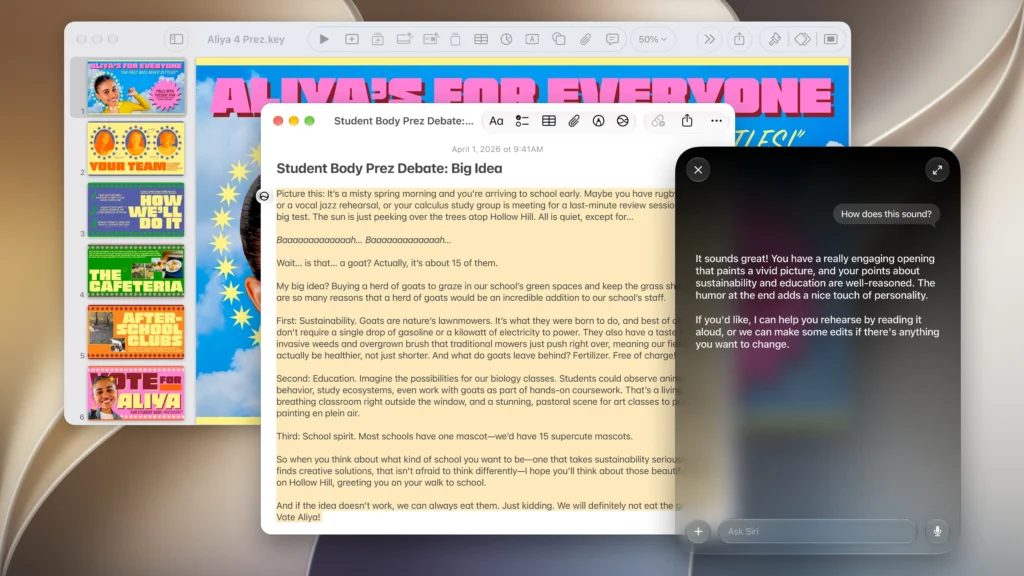

Siri AI is also designed to handle longer exchanges.
Users can ask follow-up questions and extend a response into a conversation. On iPhone, Siri can still be activated through “Hey Siri” or the side button, while users can also swipe down from the Dynamic Island to begin a conversation. Siri AI is integrated into Spotlight on Mac and iPad.¹
Apple has also introduced a dedicated Siri app. Conversations can be revisited later, and iCloud privately syncs Siri conversation history across supported Apple products. A conversation started on an iPhone, for example, can continue on a Mac, iPad, Apple Watch, or Apple Vision Pro.¹
That change matters because it gives Siri a persistent interface rather than limiting it to brief voice interactions.
Siri AI Can Write and Edit Across Apple Devices
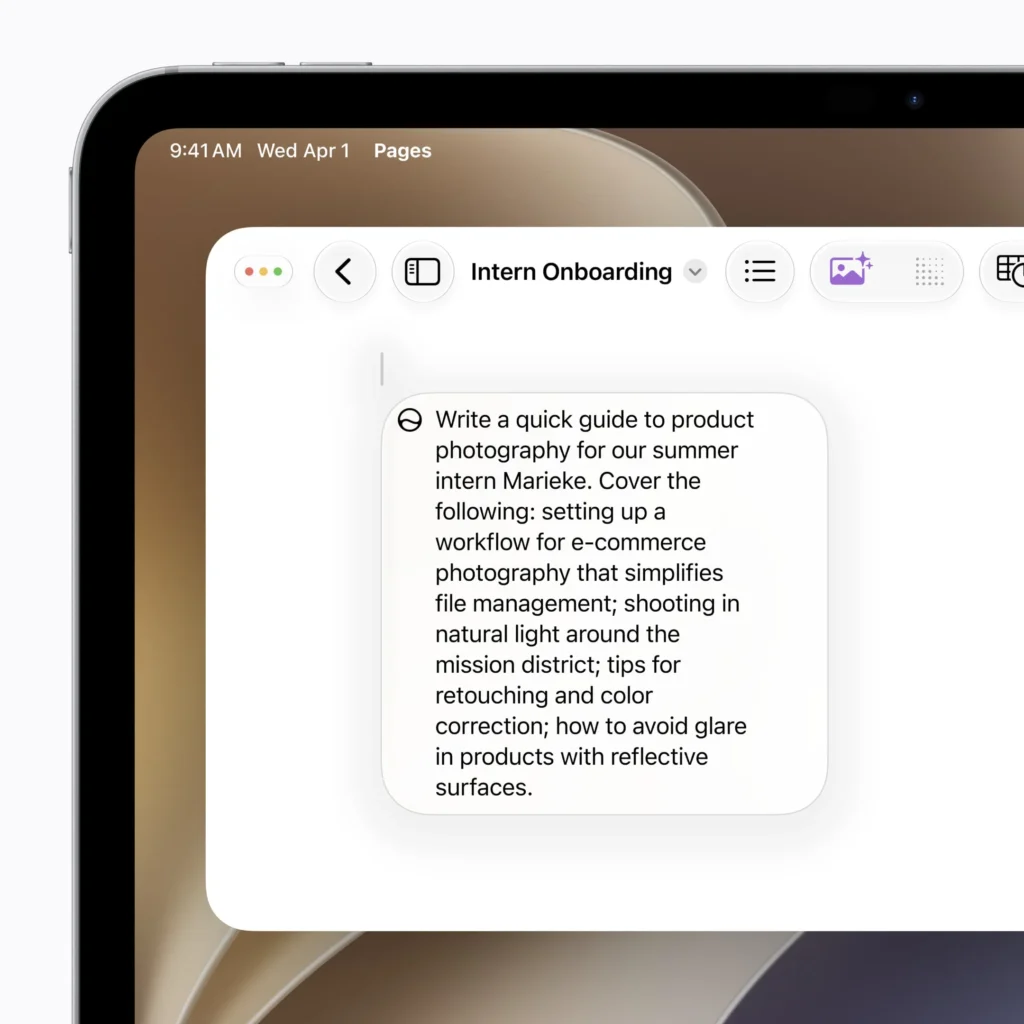
Writing is another major part of the update.
Users can ask Siri AI to create a draft from scratch or describe how existing text should be revised. In Mail and Messages, Siri can account for how a person typically communicates with a particular recipient, including punctuation and tone. Apple Intelligence can also automatically proofread text across the system, including within most third-party apps.¹
Siri AI is gaining deeper third-party app support as well. Apple says Siri already works with apps including WhatsApp and Audible, while planned integrations will allow users to perform tasks involving Microsoft Outlook, Notability, and Tripsy.¹
The distinction between what works today and what is coming later is important. Not every announced third-party action is available at launch.
Siri AI Uses Apple Intelligence for Privacy
Giving an AI assistant access to personal messages, emails, photos, and onscreen information makes privacy particularly important.
Apple says its architecture uses both on-device processing and Private Cloud Compute. When a request requires Private Cloud Compute, Apple says the personal data involved is not stored or made accessible to Apple or other parties.²
The new Apple Foundation Models were developed in collaboration with Google and its Gemini models. However, Apple says these models operate within its Apple Intelligence architecture, running either directly on supported devices or through Private Cloud Compute.¹
Siri AI also uses Apple’s system orchestrator to access technologies such as the Spotlight index and App Toolbox, which operate on the device.¹
Which Devices Support Siri AI?
Siri AI is rolling out across iOS 27, iPadOS 27, macOS 27, watchOS 27, and visionOS 27. Support for French, Japanese, Korean, Portuguese, and Spanish is scheduled for October 2026.¹
Apple Intelligence is available on supported hardware including iPhone 16 models and later, iPhone 15 Pro and Pro Max, M1-or-later iPads and Macs, Apple Vision Pro, and certain Apple Watch models when paired with an Apple Intelligence-enabled iPhone. Specific Siri AI capabilities can have additional hardware requirements.¹
There are also regional restrictions. Siri AI is not initially available on iPhone, iPad, and Apple Watch in the European Union. Apple says Siri AI and other new Apple Intelligence features are unavailable in China while it works through regulatory requirements.¹
Another limitation is worth knowing: Apple says some features that rely on server-side models are subject to daily usage limits. That includes certain Siri AI requests, along with features such as Image Playground and some intelligent photo editing tools. Apple says expanded access will eventually be available for a fee.¹
Why Siri AI Is an Important Change for Apple
The biggest change may not be any single Siri AI feature. It is how Apple is integrating AI into tasks people already perform on their devices.
A user could find information buried in an email, ask about something displayed on a screen, write a response, edit photos, search the web, create calendar events, or perform actions across apps without constantly switching between them.
There are still reasons to watch the rollout closely. Siri AI is launching as a beta, some third-party integrations are still coming, regional restrictions remain, and server-based features can carry usage limits.¹
Those qualifications matter when evaluating Apple’s claims against what users can access today.
Even so, Siri AI marks a clear change in what Apple expects Siri to be. It is no longer centered primarily on short voice commands. Apple is building Siri into an AI interface that can understand personal and onscreen context, maintain conversations, access information, and perform actions throughout its software ecosystem.
Citations
- Apple. “Siri AI, a Profoundly More Capable and Personal Assistant Powered by the Next Generation of Apple Intelligence, Is Here.” Apple Newsroom, 14 Sept. 2026.
- Apple. “Apple Introduces Siri AI, a Profoundly More Capable and Personal Assistant.” Apple Newsroom, 8 June 2026.