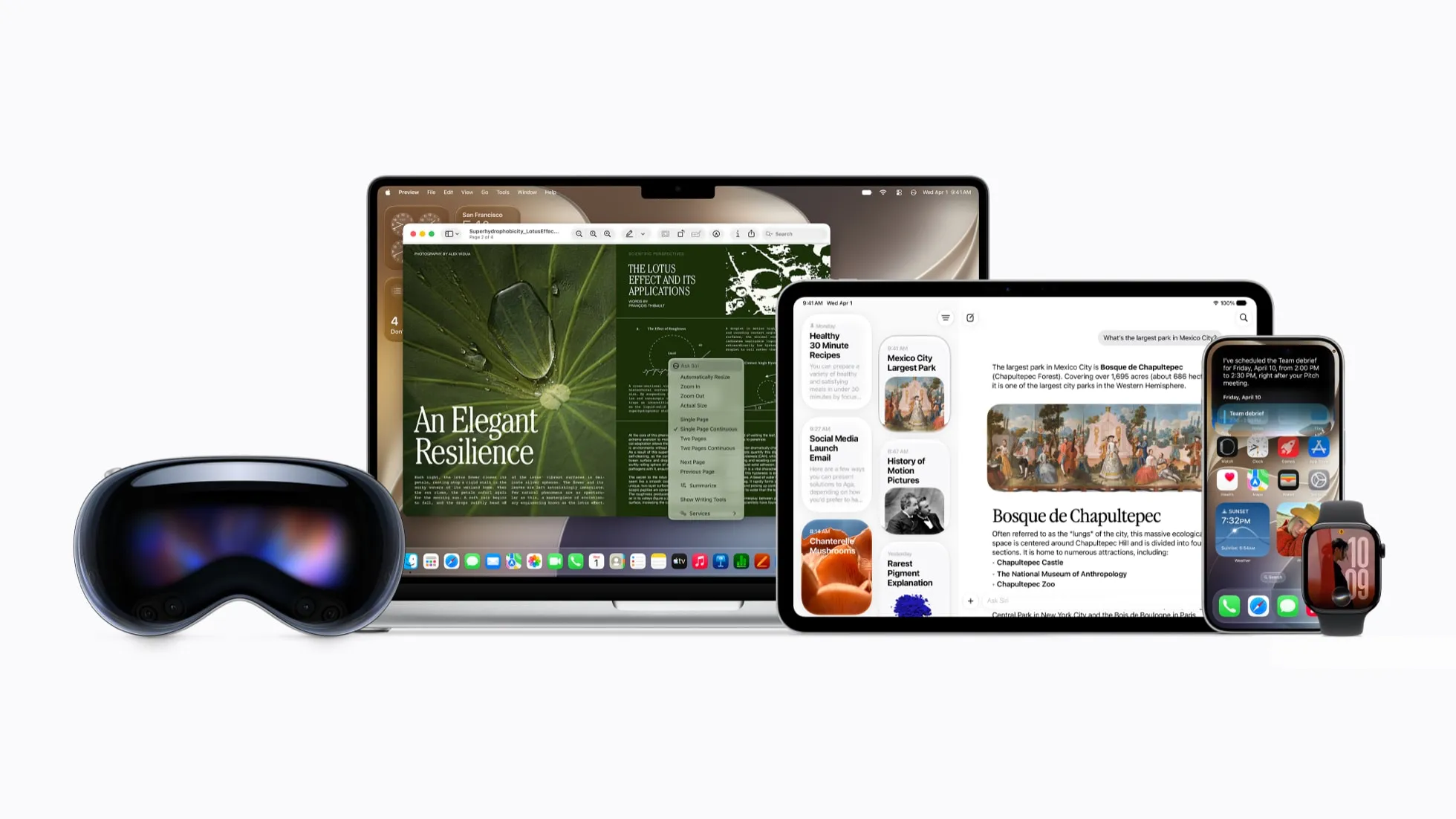
Siri AI means iPhone users may get a more useful version of Siri that can answer broader questions, respond to what is on screen, find relevant personal details, and help complete everyday actions across apps. It is designed to reduce app-hopping while keeping users in control.
Siri AI Brings a New Kind of Siri to iPhone
Apple introduced Siri AI on June 8, 2026, describing it as an entirely new version of Siri powered by Apple Intelligence.1 For many iPhone users, Siri has been useful for quick voice commands: set a timer, call a contact, start directions, send a short text, or check the weather. Siri AI is meant to go further.
The change is not only about voice. It is about context.
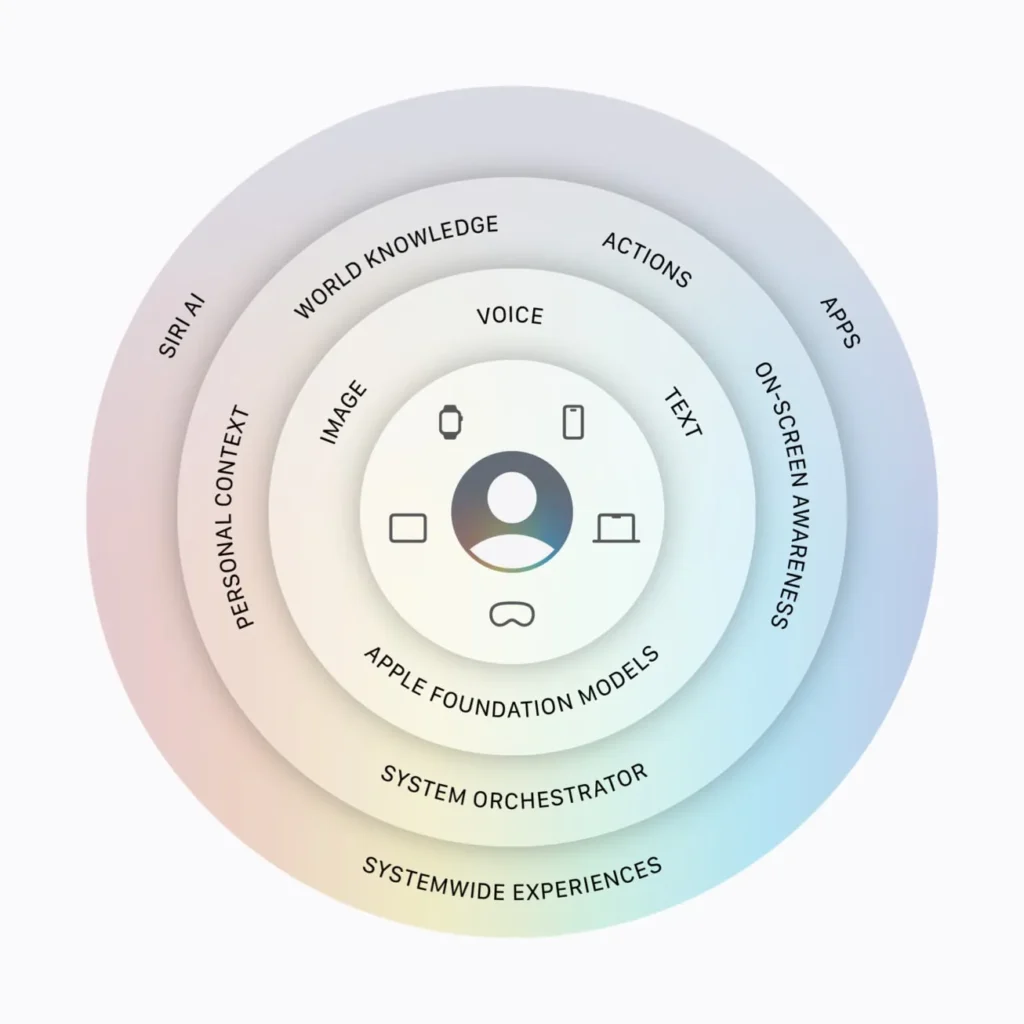
We often move between several apps to finish one small task. A dinner plan may start in Messages, then move to Maps, Calendar, Notes, and maybe Mail. A trip may include an email confirmation, a saved address, a photo, and a reminder. Apple says Siri AI can use personal context, onscreen awareness, and web answers to help people find what they need in the moment.
That matters because most of us do not want another app to manage. We want the iPhone we already use to make the next step easier. If Siri AI works as Apple describes, it could make daily phone tasks feel less scattered.
How Siri AI Uses Personal Context
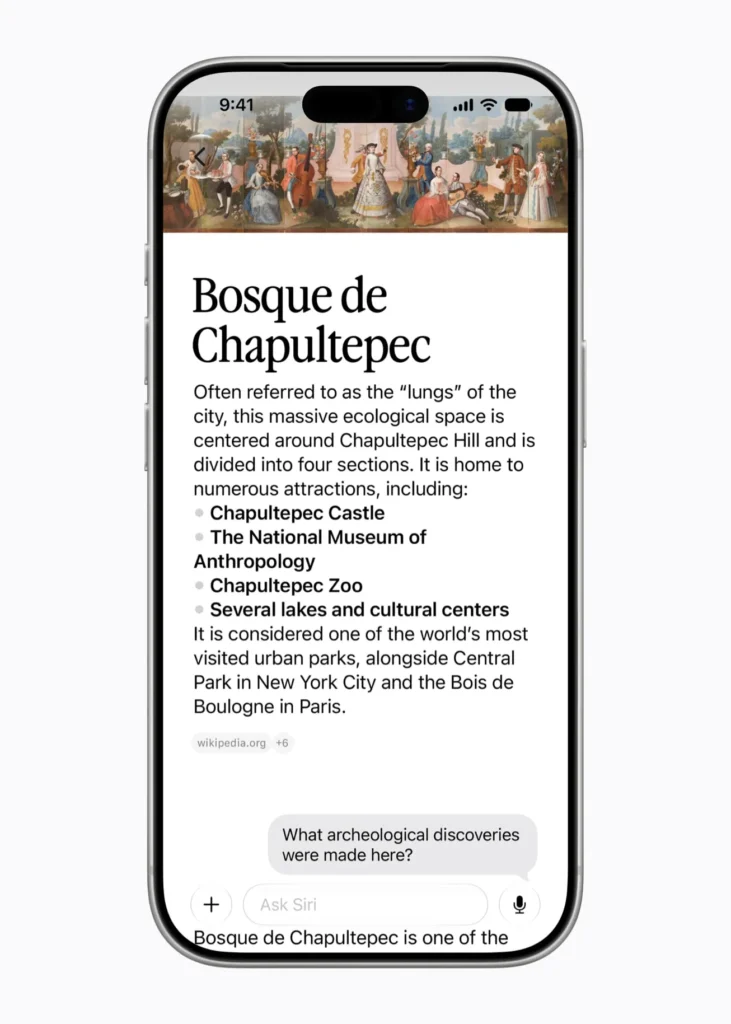
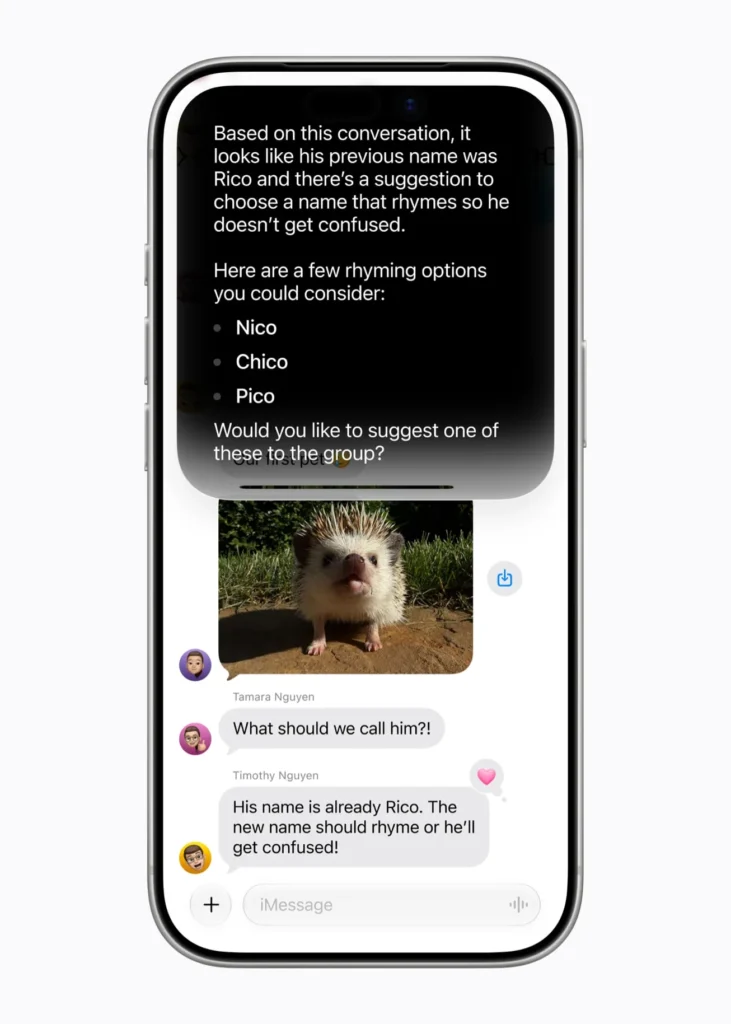
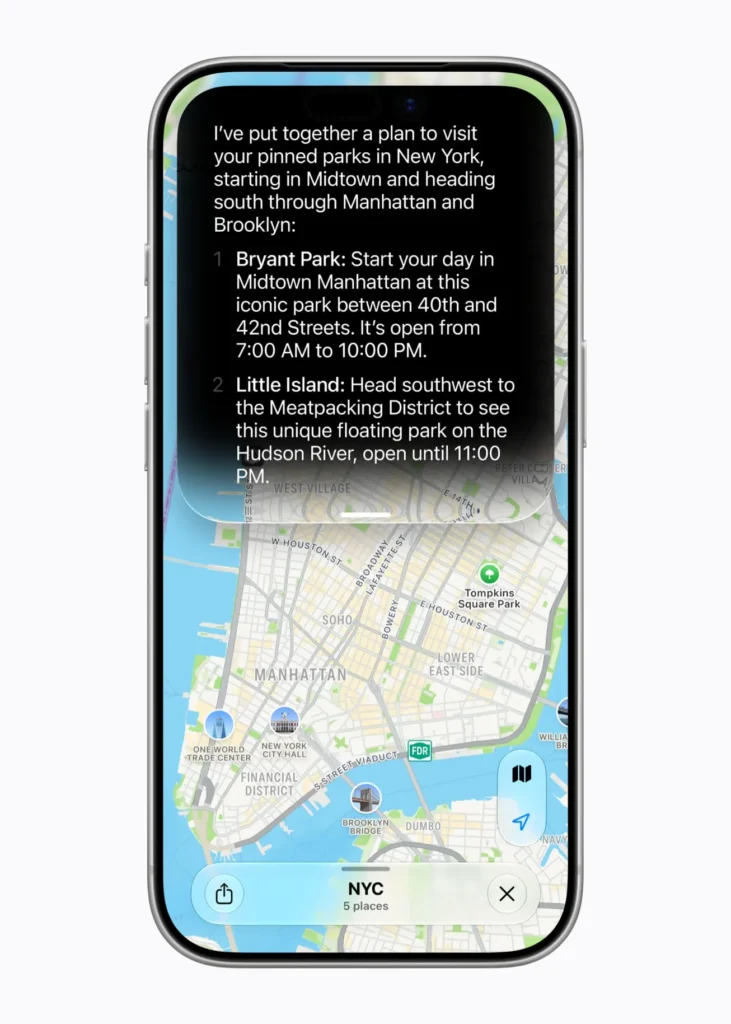
The phrase “personal context” may sound technical, but the idea is familiar. It means Siri AI may use relevant details from the information already on our Apple products. Apple gives examples such as finding a restaurant recommendation a friend sent, pulling up a hotel confirmation from an old email, or finding photos from a recent trip.
That is a meaningful shift. Instead of searching one app at a time, we may be able to ask a more natural question. We might ask, “What was the hotel confirmation number?” or “Find the photos from the beach trip with my family.” Siri AI is designed to connect the request with the right content when permission and device support allow it.
We should still be realistic. Personal context works best when information is stored clearly and tied to the right app, person, or date. If our inbox is crowded or a text message is vague, Siri AI may still need us to check the result. A faster answer is valuable, but accuracy still matters.
Siri AI and Onscreen Awareness
Another important part of Siri AI is onscreen awareness. Apple says Siri can understand what is on screen and help users take action across apps.2 That could be useful when we are looking at a message, an image, an email, a document, or a webpage and want to do something with it.
For example, if a friend sends an address, we may want directions. If a message includes a lunch plan, we may want to add it to Calendar. If we are looking at a note, we may want to turn part of it into a reminder. These are not huge moments. They are the small, repeated tasks that slow us down.
Apple’s Apple Intelligence page also says the next generation of Apple Intelligence works with apps such as Photos, Messages, and Safari, while Siri AI can take actions in apps like Messages, Music, Reminders, and more. The cleaner way to understand this is that Siri AI is one major part of Apple’s wider Apple Intelligence system, not the whole system by itself.
Siri AI in Camera and Visual Intelligence


Apple also highlights Visual Intelligence and Siri mode in Camera. This means Siri AI can be used with what we see, not only what we type or say. Apple shows examples involving the Camera app, food information, objects, and visual questions.
In daily use, this could help in quick moments. We may point the camera at something and ask what it is. We may ask about nutrition information for food. We may use Visual Intelligence on iPad, Mac, or Apple Vision Pro to ask about something on screen.
This is one of the more notable parts of the rollout because it connects Siri to the world around us. Still, we should be careful with answers about health, food, money, or safety. A camera-based answer can be a starting point, but it should not replace trusted guidance when the stakes are high.
Writing with Siri AI
Writing is likely to be one of the first areas many people notice. Apple says Writing Tools with Apple Intelligence can proofread text, create different versions of the same text, and summarize selected text. Writing Tools are available in most places people write, including third-party apps and websites.3
That could matter for daily messages, work emails, school notes, social posts, and quick replies. We may ask Siri AI to help draft a message, tighten a paragraph, or adjust wording before sending. The value is not that Siri writes for us completely. The value is that it can give us a starting point when the blank screen is slowing us down.
But we should still review every important message. Apple notes that Apple Intelligence outputs may vary, and users should check important information for accuracy. Names, dates, prices, addresses, legal language, medical details, and work decisions should never be accepted without review.
Where Siri AI Could Fit Into Work and Family Life
For work, Siri AI may help with common tasks such as finding old information, summarizing text, drafting replies, or creating reminders from messages. For family life, it may help with schedules, directions, photos, errands, and quick questions.
The appeal is not hard to see. Most people do not have one clean system for daily life. We have messages from one person, emails from another, photos in one place, notes somewhere else, and reminders we forgot we made. Siri AI could reduce some of that friction.
It will not remove the need for judgment. We still need to decide what matters, what to send, what to save, and what to ignore. The best use of Siri AI may be as a first step: find the information, prepare a draft, suggest an action, then let us review and decide.
Privacy Still Needs to Be Easy to Understand
The stronger Siri AI becomes, the more people will ask about privacy. That is a good thing. A more personal assistant needs trust.
Apple says Apple Intelligence first checks whether a request can be processed on the device. For more complex requests, it can use Private Cloud Compute. Apple says only the data relevant to the request is processed, that the data is not stored or made accessible to Apple, and that independent privacy and security researchers can inspect the system used for Private Cloud Compute.4
That is an important promise, especially because Siri AI may work with personal information. Still, we should know where the settings are, what features are turned on, and whether Apple Intelligence reports are available on our device. Privacy should not live only in policy pages. It needs to be clear inside the product.
What App Makers May Add Through Siri AI
Apple also says developers can connect app content and actions into Siri AI and the wider Apple Intelligence system through App Intents.5 That may allow more apps to work with Siri in a direct way over time.
This part matters because many daily tasks happen outside Apple’s own apps. We use apps for travel, shopping lists, fitness, banking, home devices, work, and family planning. Not every app will support these tools right away, and not every feature will work the same way. But if more developers connect their apps properly, Siri AI could become more useful without forcing people to change how they already use their iPhone.
What We Should Watch During the Siri AI Rollout
The announcement is strong, but the real test comes later. Beta features can change. Some features may arrive before others. Some may require newer devices. Language and region support may also vary.
We should watch how Siri AI handles messy, normal requests. Can it find the right message? Can it avoid mixing up people with similar names? Can it explain where an answer came from? Can it avoid taking action before we approve it? Can it write in a tone that sounds like us, not like a stiff template?
Those details will decide whether people use Siri AI once or make it part of daily life.
Bottom Line: Siri AI Is About Less App-Hopping
Siri AI is Apple’s clearest move yet to make Siri more useful across daily tasks, personal information, screens, writing, and app actions. It is not only about asking questions. It is about helping people move from question to answer, and from answer to action, with fewer steps.
For people who already use iPhone, iPad, Mac, Apple Watch, CarPlay, AirPods, or Apple Vision Pro, Siri AI could become a common part of the day. We may use it to find details, draft text, check what is on screen, ask visual questions, or act across apps.
The best approach is balanced. We can welcome the convenience while keeping our judgment in place. Siri AI may reduce friction, but we should still check important answers, review privacy settings, and remember that personal technology works best when we stay in control.
Citations
1. Apple. “Apple Introduces Siri AI, a Profoundly More Capable and Personal Assistant.” Apple Newsroom, 8 June 2026.
2. Apple. “Apple Intelligence and Siri.” Apple, accessed 13 June 2026.
3. Apple. “Use Writing Tools with Apple Intelligence on iPhone.” iPhone User Guide, Apple Support, accessed 13 June 2026.
4. Apple. “Apple Intelligence and Privacy on iPhone.” iPhone User Guide, Apple Support, accessed 13 June 2026.
5. Apple. “Apple Intelligence.” Apple Developer, accessed 13 June 2026.