Microsoft Scout is Microsoft’s first Autopilot agent, built to work in the background across Microsoft 365 instead of waiting for one prompt at a time. The bigger shift is clear: Microsoft wants AI to move from answering questions to carrying out ongoing work under user and company controls.1
Microsoft Scout Marks the Shift From Chat to Action
For the past few years, most workplace AI tools have worked like advanced chat windows. You ask for a summary, a draft, a table, or a plan. The tool responds, then waits for the next instruction.
Microsoft Scout points to a different model.
Microsoft describes Microsoft Scout as its first “Autopilot” agent, a category of always-on AI systems that can act on a user’s behalf with its own governed identity.1 That detail matters. Microsoft Scout is not only another assistant tucked inside a document, inbox, or meeting app. It is designed to stay active across the workday, understand context across apps, and take action without needing a new prompt every time.
That is why Microsoft Scout matters now. It shows how Microsoft is trying to turn AI from a response tool into a more active layer for work.
What Makes Microsoft Scout Different
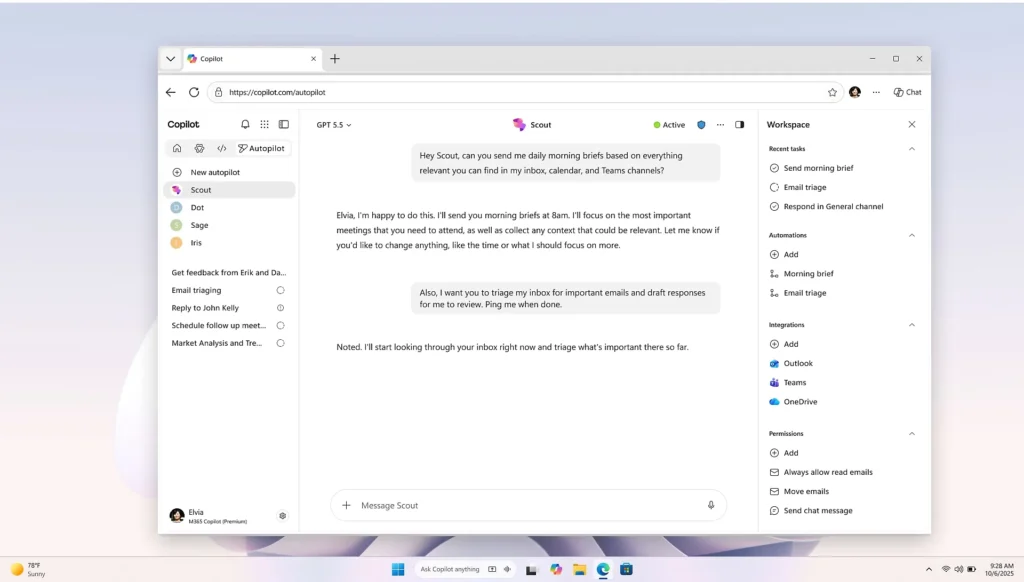
Microsoft Scout connects to core Microsoft 365 apps, including Teams, Outlook, OneDrive, and SharePoint. Microsoft says it can use work data such as chats, email, calendar information, and contacts to help coordinate tasks across cloud, desktop, and web experiences.1
That gives Microsoft Scout a wider role than the traditional chatbot experience. Instead of living inside one app, it is meant to understand how work moves across many of them.
It Works Beyond a Single Prompt
The biggest difference is persistence.
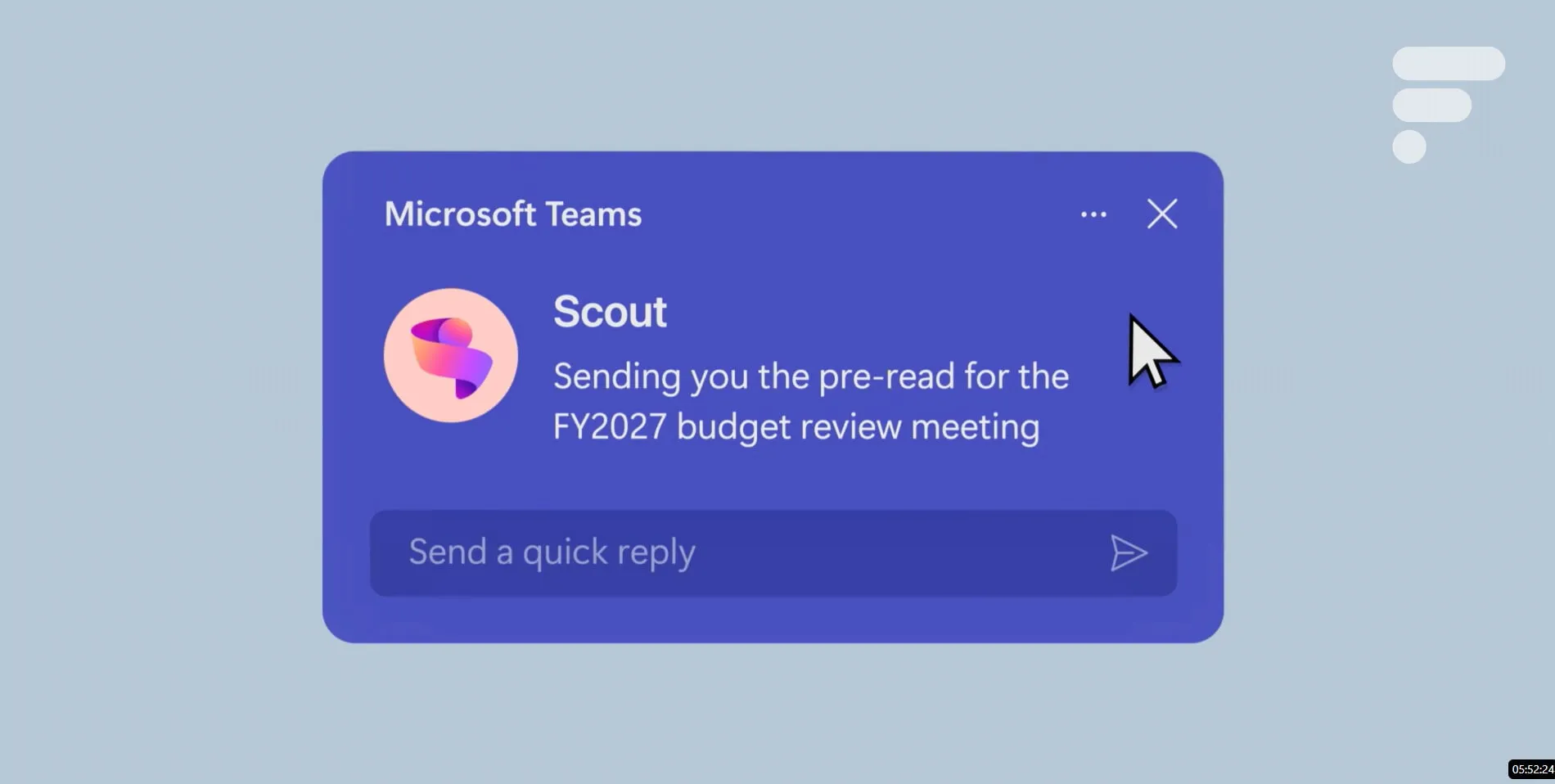
A chatbot usually needs direct instruction. Microsoft Scout is built to keep track of work in motion. Microsoft says it can coordinate meeting times across time zones, flag key meetings, prepare related materials, identify upcoming deliverables, block calendar time, and spot risks such as delayed decisions.1
That does not mean Microsoft Scout is replacing human judgment. The pitch is closer to delegation. A user can hand off some coordination work, while Scout keeps the person involved when decisions or approvals are needed.
It Learns Work Patterns Over Time
Microsoft says Microsoft Scout uses Work IQ to build context over time, including how a person works, what they care about, and what should happen next.1 TechCrunch also reported that Scout is meant to work with a persistent identity and style, with users giving it ongoing feedback on tasks they want automated.4
That learning loop is one reason always-on agents feel more significant than one-off AI tools. The more context an agent has, the more useful it can become. But the same context also raises harder questions about privacy, permissions, and control.
Why Microsoft Scout Is Getting Attention
Microsoft Scout arrives as the AI industry moves toward agents that can complete multi-step tasks instead of only producing text.
The Verge reported that Microsoft Scout is an always-on assistant built on OpenClaw and integrated into Microsoft 365 apps, with Microsoft positioning it as a personal assistant that can see and do more than Copilot inside individual apps.2 Computerworld described Microsoft Scout as the first in a new breed of Microsoft 365 Autopilot agents that can carry out work independently.3
That is the larger story many readers may miss. Microsoft Scout is not only about better meeting prep or cleaner calendars. It is about where the interface for office work may be heading.
Today, many workers jump between inboxes, chats, calendars, files, browser tabs, and task lists. Microsoft Scout is Microsoft’s attempt to create an AI layer that follows that flow instead of sitting in one corner of it.
The Trust Problem Microsoft Has to Solve
The boldest part of Microsoft Scout is also the riskiest part: access.
An agent that can read work messages, understand a calendar, review files, and act across apps needs strong guardrails. Microsoft says Scout operates within permissions and policies set by the user and organization. It also says Scout’s credentials are scoped to the task, redacted from logs or diagnostics, and managed with the same rigor as a Microsoft first-party service.1
The Verge reported that Microsoft treats OpenClaw as untrusted in a sandboxed cloud environment and uses tools such as Agent 365, Purview, and Defender, along with red teaming and privacy reviews, to manage risk.2
That is important because always-on agents create new security questions. What happens if an agent misreads intent? What if it pulls the wrong file? What if a malicious instruction tries to influence its behavior? For companies, those are not small concerns. They are adoption barriers.
Microsoft Scout Is Still Early
Readers should not treat Microsoft Scout as a finished product that every Microsoft 365 user can try today.
The current rollout is limited. The Verge reported that Microsoft is starting with a desktop preview for Frontier customers in the U.S., with a broader cloud version planned later.2 Microsoft says access requires Frontier enrollment, Intune policy configuration, and opt-in attestation. Users also need a GitHub Copilot license to download and install the experience.1
The broader pricing picture still needs more clarity. Computerworld reported that Microsoft had not said whether Scout would be included with Microsoft 365 Copilot or charged separately.3 That uncertainty matters. If Microsoft Scout becomes another paid AI layer, companies will need to weigh its value against cost, security review, employee training, and IT oversight.
What Microsoft Scout Means Going Forward
If Microsoft Scout works as intended, the workday could start to change in a quiet but meaningful way.
Instead of asking an AI tool to summarize a thread after a meeting, a worker might have an agent that already flagged the issue, found the related file, blocked prep time, and suggested the next step. Instead of using AI only when a person remembers to ask, Microsoft Scout would be present in the background, helping manage the small decisions and follow-ups that drain attention.
That is the promise. The test is whether Microsoft can make it trustworthy enough for real workplaces.
For now, Microsoft Scout is best seen as an early look at Microsoft’s next major AI direction. The company is moving beyond chat and betting that the future of workplace AI belongs to agents that do not just answer. They keep working.
Citations
- Shahine, Omar. “Introducing Microsoft Scout: Your Always-On Personal Agent.” Microsoft 365 Blog, Microsoft, 2 June 2026.
- Warren, Tom. “Microsoft Scout Is a New AI Personal Assistant Built on OpenClaw.” The Verge, Vox Media, 2 June 2026.
- Finnegan, Matthew. “Microsoft Unveils Scout, an Autonomous AI Agent Built on OpenClaw.” Computerworld, Foundry, 2 June 2026.
- “Microsoft Launches Scout, an OpenClaw-Inspired Personal Assistant.” TechCrunch, 2 June 2026.