Key Takeaways
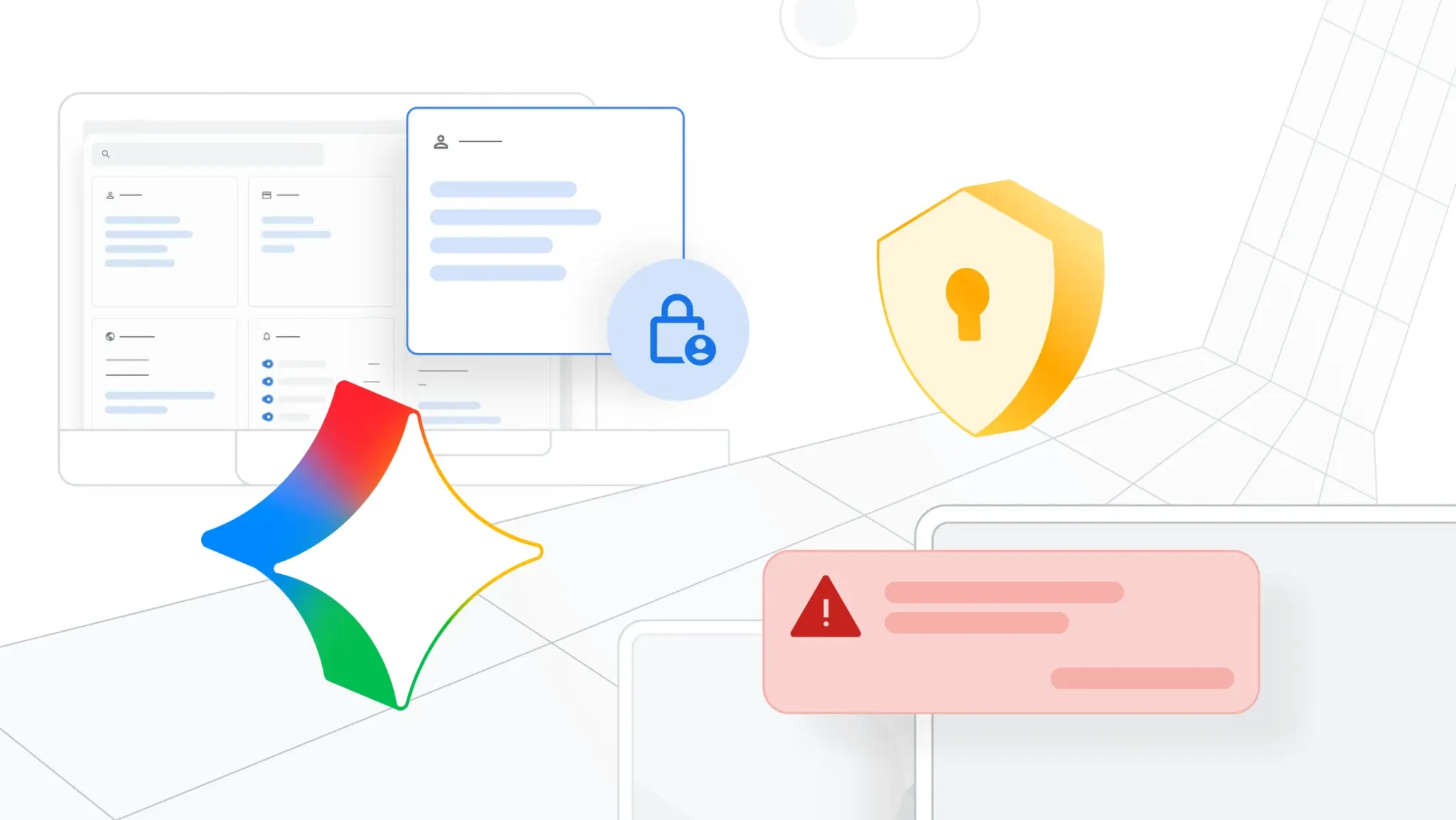
- Google introduced new security updates for Google Workspace for Education in January 2026, including AI detection workflows, stronger ransomware response options, and updated admin controls for school communications.
- The Gemini app can help verify whether an image or video includes Google’s SynthID watermark signals, which supports AI detection when schools need to review questionable media.
- Google Drive for desktop now includes ransomware detection in beta, with options that support recovery after suspicious encryption activity.
- Google expanded the Google SecOps data connector to Education Standard and Education Plus, helping schools centralize log data for faster investigations.
- Google Meet added live stream controls that allow invited external viewers and targeted internal audiences for sensitive school events.
Why schools need clearer digital safety systems right now
Schools now run on shared digital tools every day: class files, email, announcements, and live video events. That daily convenience also raises risk. A misleading image can spread quickly. A ransomware incident can block access to critical files. A live stream can be shared too broadly if settings are not clear.
This is why the latest Google Workspace for Education update matters. It gives schools a connected set of controls, not isolated features. In plain terms, schools can now check media credibility with AI detection, respond faster to ransomware activity, and control access to public-facing events in a more focused way.1
AI detection in the first line of defense
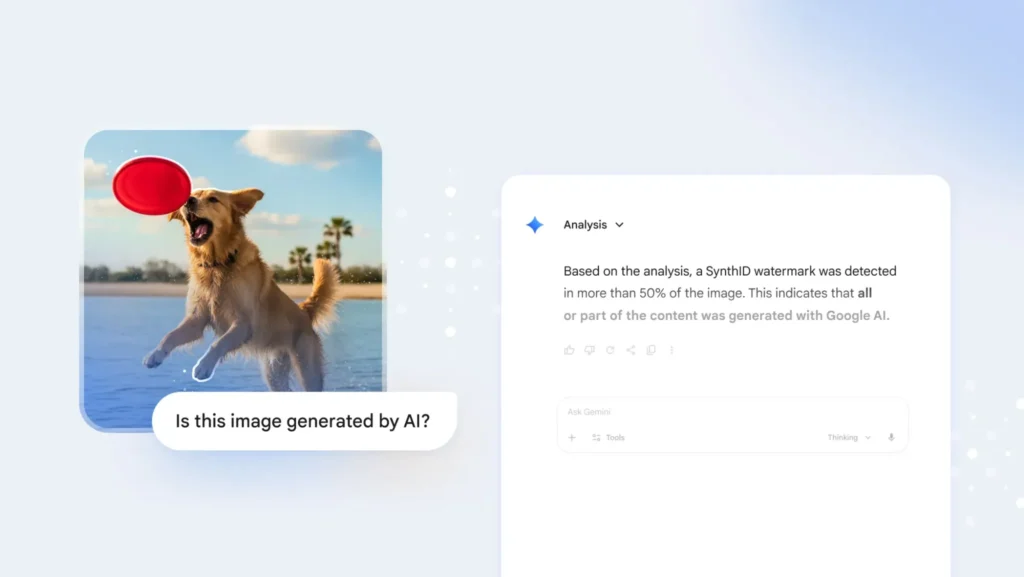
The most discussed piece of this update is AI detection. Google introduced verification features in Gemini that help users identify whether certain images or videos carry Google’s SynthID watermark signals.2 This matters when staff need to evaluate suspicious or potentially altered media.
How AI detection works in this context
The key point is scope. This AI detection workflow is designed to detect signals tied to Google AI-generated or Google AI-edited content, not every possible image from every tool on the internet. That distinction helps schools set realistic expectations and avoid overconfidence in any single check.
When used correctly, AI detection can support:
- student conduct reviews involving shared images,
- rumor control during school incidents,
- faster triage for communications teams deciding what to publish or escalate.
It is best treated as one part of a broader trust process that also includes policy, staff judgment, and documented review steps.
Ransomware response: from panic to process
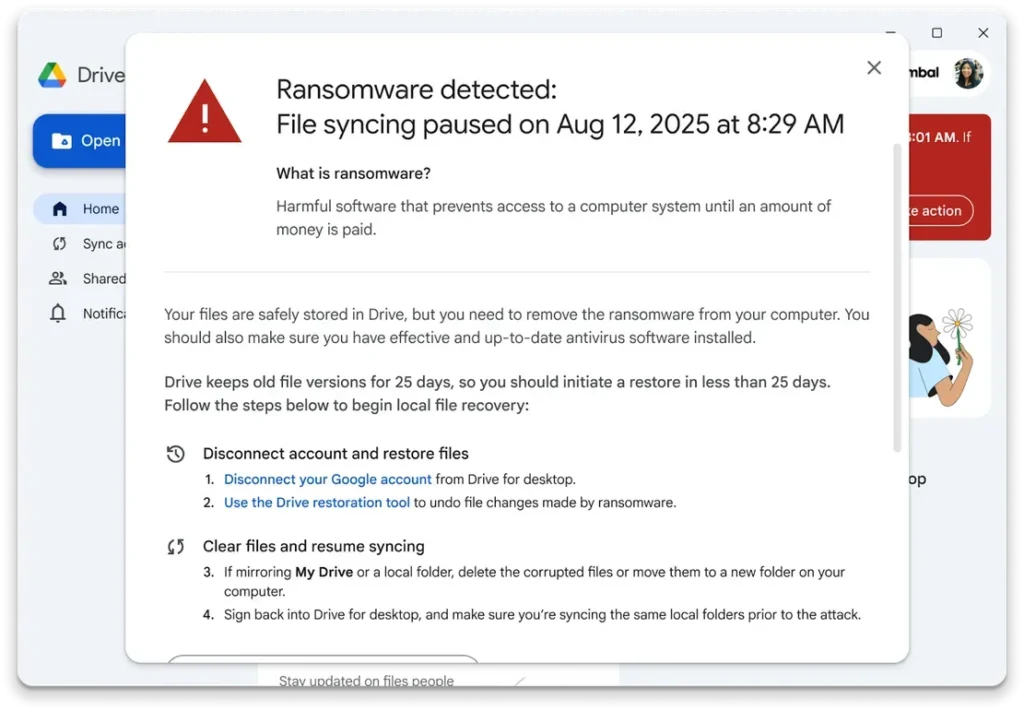
Ransomware remains one of the most disruptive threats for education organizations. If shared drives are affected, classes and operations can stall in hours. Google’s Drive for desktop update is meant to reduce that damage window.
According to Google Workspace updates and product announcements, ransomware detection in Drive for desktop (beta) can identify suspicious behavior and support recovery actions so teams can restore files more quickly after an incident.3
What this means for school teams
For schools with limited IT staff, the main value is operational:
- earlier warning signals,
- a clearer recovery path,
- less manual rework after an incident.
The new approach does not eliminate ransomware risk, but it supports faster containment and faster return to normal activity when an event occurs.
Centralized security logs with Google SecOps connector
Google also expanded the Google SecOps data connector to include Education Standard and Education Plus.4 This allows Workspace event logs to flow into a central security operations platform.
Why this is important for trust and accountability
When logs are scattered, incident reviews are slow and incomplete. Central log visibility helps schools:
- investigate events with better timeline clarity,
- connect related activity across email, files, and calendars,
- keep stronger records for internal review and compliance workflows.
For leadership teams, this supports better oversight. For technical teams, it reduces time lost jumping between separate admin views.
Google Meet live stream controls for sensitive events
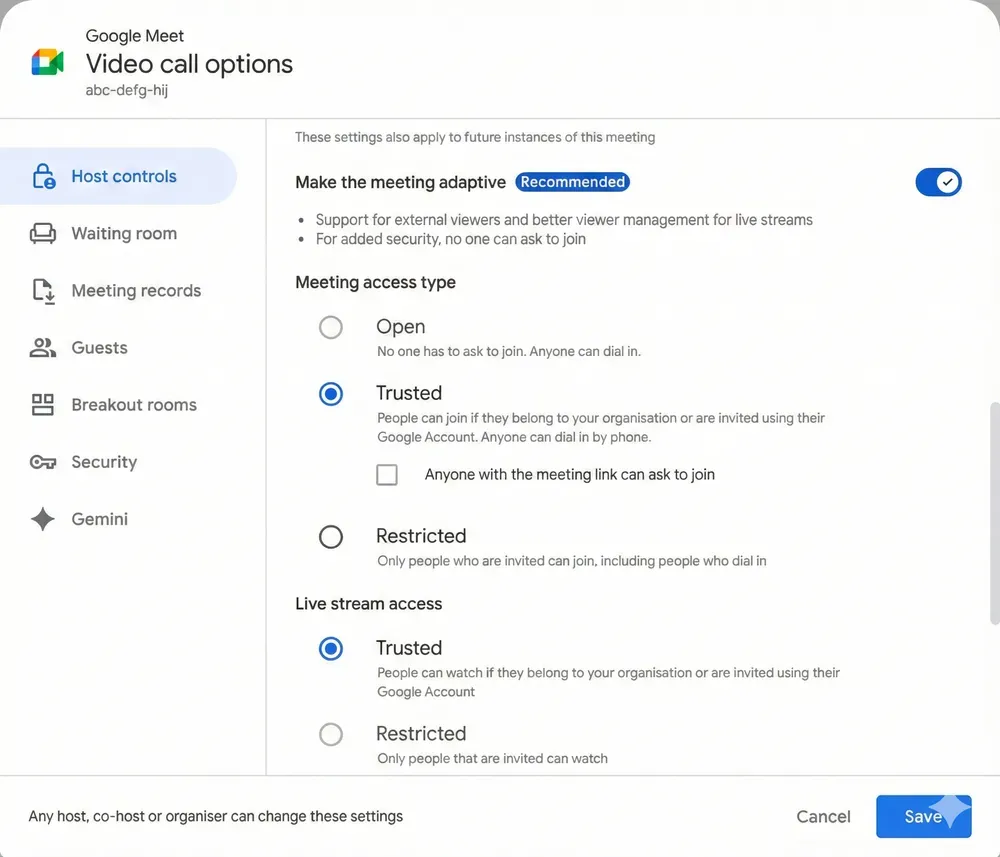
Schools often need to communicate with different audiences at different times: staff only, selected families, invited community partners, or full public access. New Meet live stream controls support that by allowing invited external viewers and more targeted internal audience settings.5
Where these controls help most
These controls are useful for:
- staff-only briefings,
- limited administrative meetings,
- planned external broadcasts with invited guests.
Instead of one broad setting for everyone, schools can choose a narrower audience where needed. That lowers accidental access and supports clearer event governance.
A simple rollout plan schools can apply in 30 days
Technology works best when paired with repeatable habits. A short implementation plan can keep this manageable.
Week 1: policy setup
- Define when teams should run AI detection checks.
- Document who can approve external stream access.
- Update incident language for media verification and ransomware response.
Week 2: technical setup
- Confirm edition eligibility and feature status in admin settings.
- Validate Drive desktop policies and recovery steps.
- Configure SecOps connector data flow if available in your plan.
Week 3: staff training
- Run one short AI detection practice scenario.
- Run one ransomware tabletop response drill.
- Train event hosts on live stream audience settings.
Week 4: review and refine
- Measure response time and false alarms.
- Collect feedback from school office staff and IT.
- Adjust procedures and communication templates.
What trustworthy implementation looks like
A strong school security posture is not a single product switch. It is a clear process that people can follow under pressure. The safest approach is to combine:
1. consistent AI detection checks for questionable media,
2. tested ransomware recovery steps, and
3. controlled audience access for live communications.
This update gives schools a practical framework to do exactly that. If we apply these controls with training and regular review, we can reduce confusion, shorten incident response time, and strengthen confidence across staff, students, and families.
Citations
- Kirtikar, Akshay. “New Security and AI Detection Features for Google Workspace for Education.” The Keyword, 21 Jan. 2026.
- Richardson, Laurie, and Pushmeet Kohli. “How We’re Bringing AI Image Verification to the Gemini App.” The Keyword, 20 Nov. 2025.
- “Ransomware Detection and File Restoration for Google Drive Available in Beta.” Google Workspace Updates, 30 Sept. 2025.
- “SecOps Data Connector Now Available for Google Workspace for Education Plus and Standard.” Google Workspace Updates, 14 Jan. 2026.
- “Invite External Guests to Google Meet Live Streams or Limit Access for Targeted Internal Live Streaming.” Google Workspace Updates, 8 Dec. 2025.