Grok Bot 1.0 is an AI tool that helps people complete work across websites, documents, and workplace apps. Its latest release adds shared Bots for teams, support for online meetings, and the ability to suggest tasks before someone asks. We explain what changed, how it works, and where human approval remains important.
Grok Bot 1.0: Key Takeaways
- Teams can share one Grok Bot instead of creating separate copies.
- Bots can participate in Slack, Microsoft Teams, and video meetings.
- Bots can flag unfinished work and suggest the next task.
- People still control access and sensitive decisions.
What Is New in Grok Bot 1.0?
The company describes three major changes from its earlier beta version: team collaboration, more initiative, and better performance when completing complex tasks. Grok Bot can now work across several tools, help prepare documents and presentations, and keep track of project context.¹
Unlike a typical chatbot that mainly answers questions, it can use a cloud-based computer to work through multiple steps. For example, it could review project information, prepare a draft presentation, and return it for feedback.
How Does Grok Bot Work With a Team?
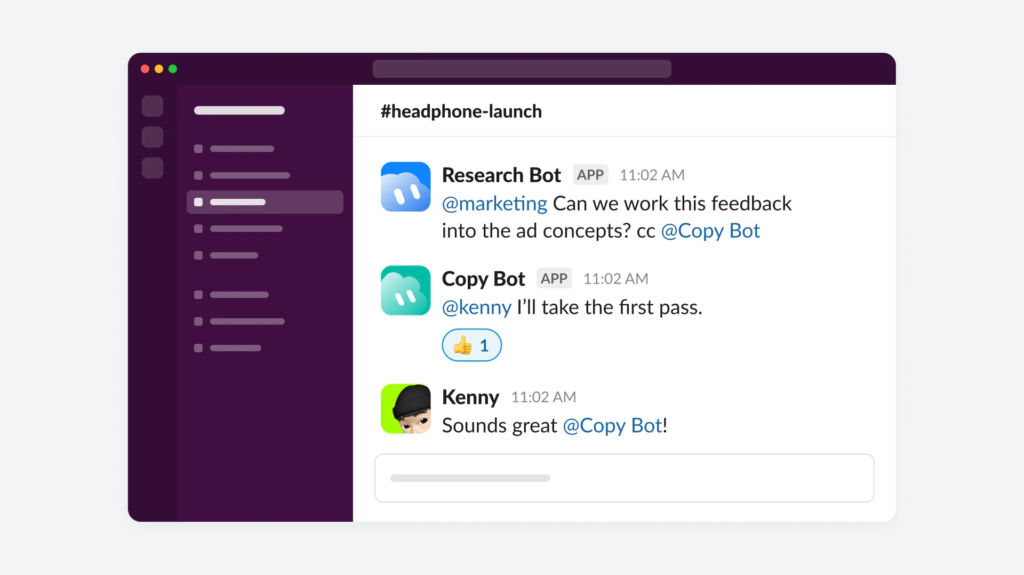
A Team Bot can be shared with selected colleagues, groups, or an entire organization. Each person has a private conversation with the Bot, while the Bot can draw on shared instructions, files, and tools.²
This means a marketing team could use one Bot to follow a campaign, understand earlier decisions, and help different employees complete related work. The value is continuity: team members do not need to explain the same project from scratch every time.
Can Grok Bot Join Meetings and Take Notes?
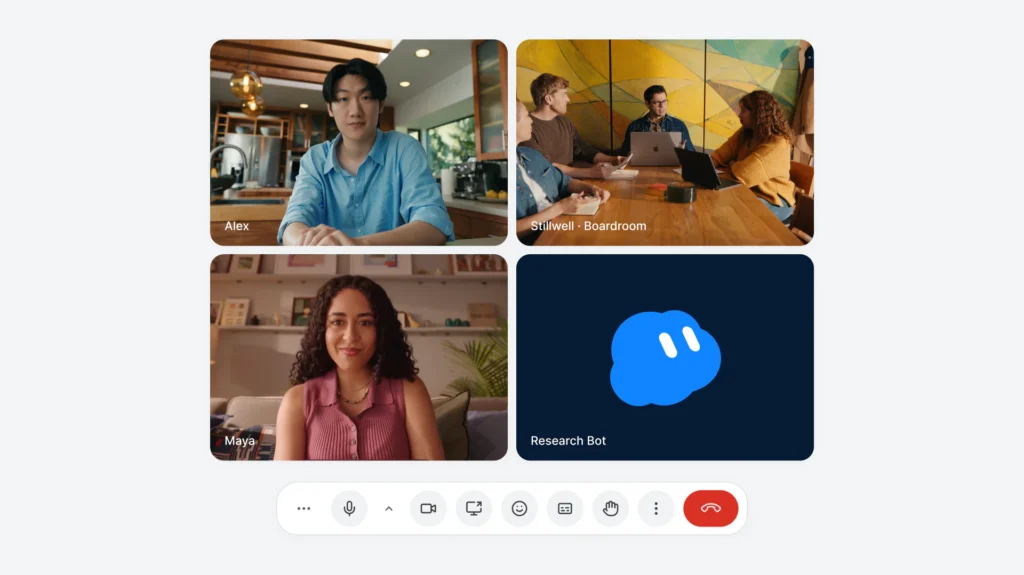
Yes. Grok Bot can join Google Meet, Zoom, and Microsoft Teams meetings, listen, take notes, and answer questions through meeting chat. Afterward, it can provide a summary and list of action items.³
To invite a Bot, a user can share the meeting link, approve its request, and have the host admit it. Meeting access is offered on Team, Enterprise, and Ultra plans.
Can Grok Bot Follow Up Without Being Asked?
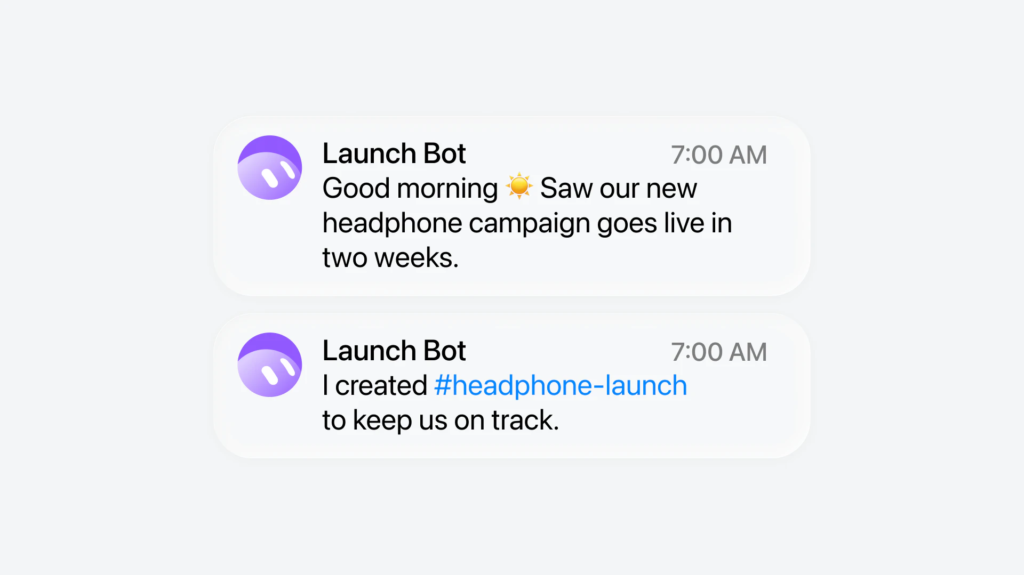
A Bot can notice unfinished tasks, identify work it could handle, and offer to help. Its documentation makes an important distinction: a personal primary Bot can initiate these offers, while a shared Team Bot cannot serve as someone’s primary Bot.⁴
Imagine a project deadline is approaching. The Bot might point out that the presentation still needs updating and offer to prepare a draft. That is different from having permission to publish it without review.
What Work Can Grok Bot Complete?
Its reported capabilities cover several common office activities:
| Work area | Example use |
| Research | Gather information from websites |
| Writing | Draft reports and campaign materials |
| Presentations | Create or revise slide decks |
| Scheduling | Work with connected calendars |
| Teamwork | Track decisions and follow-up items |
The announcement also says browser navigation is more reliable and that connections with Gmail, Google Calendar, and GitHub have improved. However, it does not publish independent success rates or measurable time savings.
Is Grok Bot Safe to Use at Work?
The product includes permission checks and approvals for certain actions. Users can set rules requiring approval before sending messages, publishing material, making purchases, or changing important information.⁵
We would start with low-risk tasks, such as summaries or first drafts, before connecting sensitive systems. Teams should also review who can access shared files and connected accounts.
Who Can Use Grok Bot 1.0?
Grok Bot 1.0 is available, but features vary by plan. Team Bots require Team or Enterprise access, while meeting participation is available on Team, Enterprise, and Ultra.
We should not confuse feature availability with unlimited access. Usage allowances and account settings may affect what each person can do.
Is Grok Bot 1.0 Worth Considering?
Grok Bot 1.0 moves beyond answering one question at a time by following ongoing work and coordinating across a team. Its most useful promise is not replacing employees, but reducing repeated explanations and helping people keep projects moving. The real test will be whether it delivers dependable results while leaving important decisions in human hands.
Citations
- xAI. “Introducing Grok Bot 1.0.” SpaceXSI, 2 Nov. 2026.
- xAI. “Team Bots.” SpaceXSI Docs, 11 Nov. 2026.
- xAI. “Add a Bot to Your Meetings.” SpaceXSI Docs, 11 Nov. 2026.
- xAI. “When Your Bot Takes Initiative.” SpaceXSI Docs, 11 Nov. 2026.
- xAI. “Approvals, Security, and Privacy.” SpaceXSI Docs, 11 Nov. 2026.