Key Takeaways
- Lyria 3 is now built into the Gemini app, letting us generate 30-second music tracks from a written prompt.
- Google says Lyria 3 is available to users 18+ and launches in eight languages (English, German, Spanish, French, Hindi, Japanese, Korean, and Portuguese).
- We can prompt Lyria 3 with text, and reporting also describes prompts that can include images or video for vibe-based results.
- Music generated with Lyria 3 is marked with SynthID, an inaudible watermark designed to help identify AI-generated audio even after common edits like compression.
- Google and YouTube have been testing related AI music ideas with creators through Dream Track.
What Lyria 3 Adds to the Gemini App
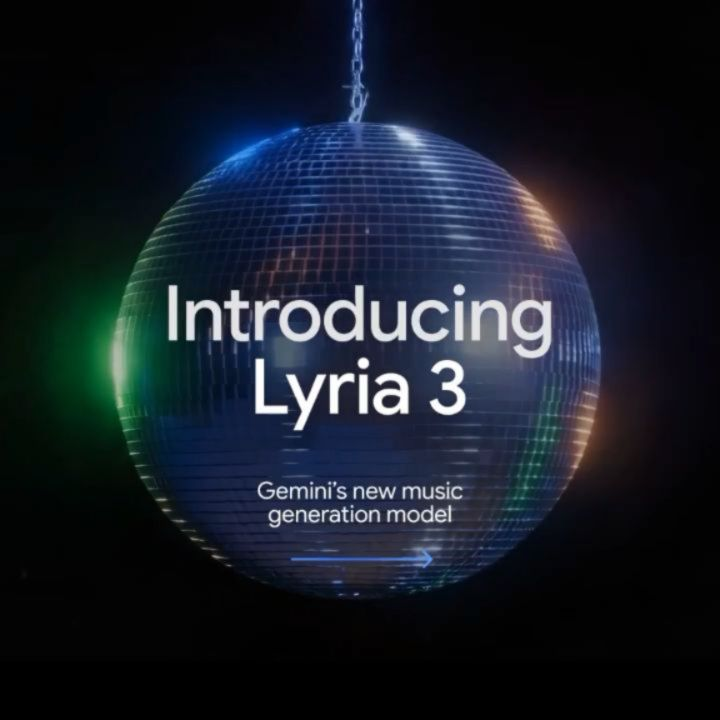
Lyria 3 is Google’s music-generation model that now shows up directly inside the Gemini app. The idea is simple: we describe what we want, and Lyria 3 creates a short piece of music we can listen to and share.
Google’s own description focuses on 30-second tracks. That time limit matters because it tells us what this feature is built for: quick creation, quick listening, and easy sharing. We are not building a full album in one go. We are creating short music clips that match a mood, a genre, or a moment.
Google also spells out who can use Lyria 3 right now: it’s available to Gemini users 18 and older, and it launches in eight languages with plans to expand.¹
How We Create Music With Lyria 3
Using Lyria 3 starts with a prompt—our description of the sound we want. Google frames this as a way to “create music” inside Gemini without needing a separate music tool.¹
To get good results, we can describe a few concrete details:
- genre or style (ambient, orchestral, electronic, acoustic)
- instruments (piano, strings, synth, drums, guitar)
- tempo (slow, mid-tempo, fast)
- mood (warm, tense, hopeful, mellow)
The Verge also reports that Gemini’s music feature can use prompts from text, images, or video, where visuals can help steer the “vibe” of the track.² If we have a photo or clip that captures a feeling—like a snowy street at night or a bright beach afternoon—this can be an easier way to communicate what we mean than trying to name the exact sound.
When we think about what Lyria 3 is doing, it helps to treat it like a fast draft. We can try one prompt, listen, adjust the wording, and try again. That’s how most people will actually use Lyria 3: quick iterations until the music matches what we had in mind.
Lyria 3 Tracks Are Short by Design
The “30-second” detail is not just a footnote. Google states it plainly, and it shapes what Lyria 3 is for.
Short tracks fit real-life uses like:
- background audio for a short video
- a quick intro clip for a social post
- a mood bed for a presentation
- a starting point we might later expand using other tools
The Verge also notes that Lyria 3 isn’t positioned as a replacement for professional music production.² That’s an important framing choice. Google is presenting Lyria 3 as a creative feature for everyday expression, not a full substitute for composers, performers, and producers.
SynthID and Why It Matters for Lyria 3
Whenever audio becomes easy to generate, the trust question comes right behind it: how do we know what’s AI-made?
Google points to SynthID as part of the answer. The Google blog says music generated with Lyria 3 in Gemini is watermarked with SynthID.¹ DeepMind describes SynthID as an inaudible watermark for AI-generated audio that is designed to remain detectable even after common changes like MP3 compression, adding noise, or speed changes.³
DeepMind also describes how its Lyria audio generation includes safety and privacy features, and that tracks are imperceptibly watermarked with SynthID so people can detect whether music was created or edited using AI.⁴
This does not solve every problem around attribution or reuse. But it does give platforms and researchers a technical tool that can help identify content made with systems like Lyria 3.
Safety Notes: What Google and DeepMind Say
We should be careful about making claims that go beyond what Google has published. The most verifiable points are the ones Google and DeepMind state directly.
DeepMind’s Lyria model page says it uses extensive filtering and data labeling to reduce harmful content and to reduce the likelihood of harmful lyrics, and it highlights privacy and safety features for audio generation.⁴ That is a clear, public claim we can point to when talking about safeguards around Lyria 3.
At the same time, we should keep our expectations realistic. Any tool that generates content can be misused. What we can say with confidence is that Google and DeepMind are publicly tying Lyria 3 to watermarking and to stated safety measures.
How Lyria 3 Fits With YouTube’s Dream Track
Lyria 3 didn’t appear out of thin air. Google and YouTube have been testing AI music experiences for creators for a while, including Dream Track, an experiment for YouTube Shorts developed with Google DeepMind.⁵
YouTube describes Dream Track as part of early AI music experiments and says it began with limited availability to a small group of artists and creators, with feedback meant to inform future tools.⁵ That’s the pattern we often see: test with a smaller group, learn what works, then expand access.
With Lyria 3 now in the Gemini app, the same family of ideas—prompt-based music creation—moves closer to everyday use.
What We Should Expect From Lyria 3
If we want the best experience with Lyria 3, we should treat it like a quick creative tool:
- We can generate a short track fast.
- We can try different prompts to shape the result.
- We should expect the output to be useful for short formats, not full-length production.
And we should also expect the conversation around AI music to keep evolving. The technology is moving quickly, but trust, transparency, and responsible use will matter just as much as the sound quality. With Lyria 3, Google is putting both creation and identification (through SynthID) into the same broader ecosystem.³
Citations
- Google. “A New Way to Express Yourself: Gemini Can Now Create Music.” Google Blog, 18 Feb. 2026.
- Peters, Jay. “Google’s AI Music Maker Is Coming to the Gemini App.” The Verge, 18 Feb. 2026.
- Google DeepMind. “SynthID.” Google DeepMind, n.d.
- Google DeepMind. “Lyria 3.” Google DeepMind, n.d.
- YouTube. “An Early Look at Our AI Music Experiment.” YouTube Official Blog, 16 Nov. 2023.