Key Takeaways
- Researcher agent in Microsoft 365 Copilot is built for longer, multi-step research and returns a structured report with cited sources.
- Researcher agent can work with web information and, in work settings, with files, emails, meetings, and chats a user already has permission to access.
- Microsoft says the tool follows existing Microsoft 365 permissions, and prompts, responses, and Microsoft Graph data are not used to train the foundation models behind Microsoft 365 Copilot.
- The feature is meant for deeper research than standard Copilot chat, which is generally better for shorter, faster tasks.
- Microsoft says Researcher is available through Microsoft 365 Copilot, with access details tied to subscription and licensing.
Researcher agent in Microsoft 365 Copilot: what it is
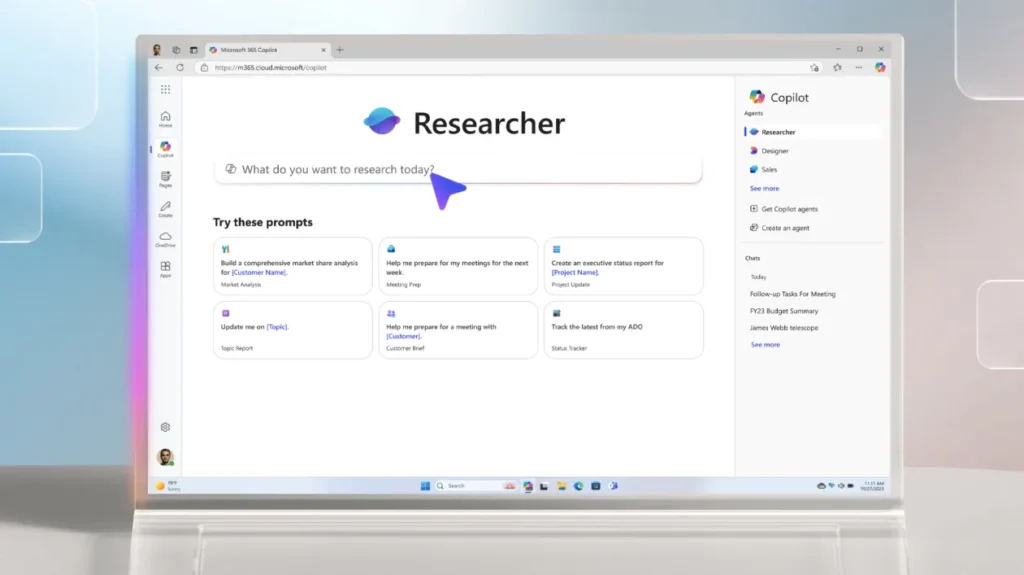
A lot of workplace questions are not simple. We are often asked to compare vendors, review trends, gather internal notes, summarize what happened in meetings, and turn all of that into something clear enough to share with other people. That is where researcher agent comes in.
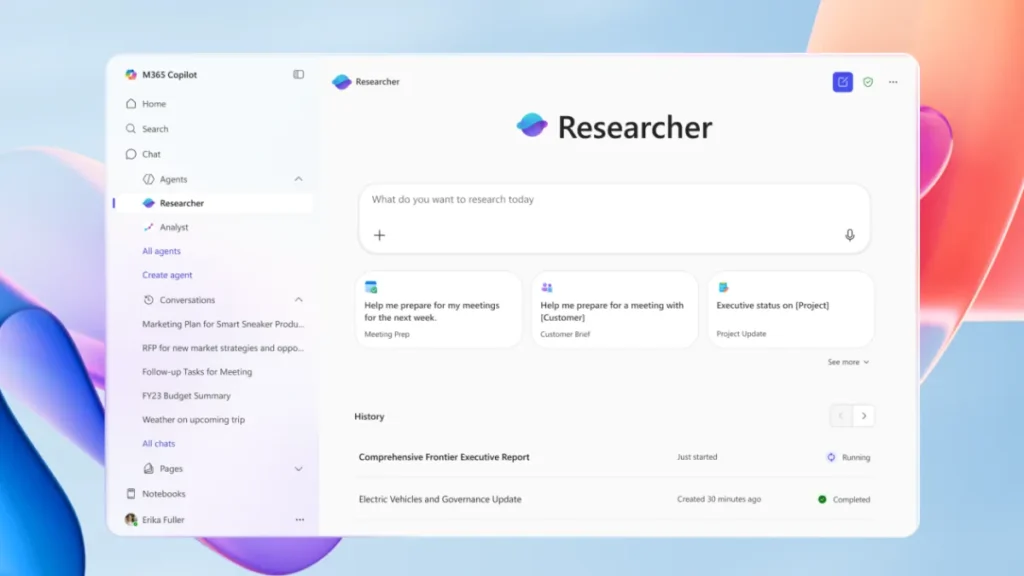
Microsoft describes researcher agent as an assistant inside Microsoft 365 Copilot built for complex, multi-step research. Its job is to gather information, organize it, and return a source-cited report that is easier to review than a long chat thread. Microsoft also says researcher agent can draw from both the web and work content, including files, emails, meetings, and chats that the user already has access to.¹²
In plain English, researcher agent is meant for the kind of work that usually takes several searches, several tabs, and a lot of copy-and-paste before we even begin writing.
Why researcher agent feels different from regular Copilot chat
This is where the feature starts to make more sense. Microsoft draws a line between standard Copilot chat and researcher agent. Regular Copilot chat is better suited to quicker tasks, like short summaries, brief writing help, or fast answers. Researcher agent is meant for deeper questions that need more time, more context, and a report-style response at the end.¹⁴
That difference matters because many people expect every AI feature to do the same thing. They do not. If we need a quick answer, chat may be enough. If we need a briefing we can hand to a manager or teammate, researcher agent is the more fitting choice.
That also helps explain why Microsoft has given it a separate identity inside Copilot instead of treating it as just another chat mode.
Where researcher agent gets its information
One of the strongest points in Microsoft’s description of researcher agent is the mix of sources it can use. Microsoft says it can combine web results with workplace content already available to the user in Microsoft 365. That includes documents, emails, meetings, and chats.
For many teams, that is the real value. A normal search engine can show us outside information, but it does not know what was said in last week’s meeting or what lives in a shared document library. Researcher agent is designed to bring those pieces together in one flow, as long as the user already has access to them.²
That last point is important. Microsoft says Microsoft 365 Copilot follows existing permission controls, so researcher agent is not supposed to pull in material a user would not normally be allowed to view.³
What a researcher agent report looks like
Microsoft says the final output from researcher agent is more than a quick answer. It can include organized sections, cited sources, and visuals such as charts or graphs. Microsoft’s Support guidance also describes the result as a structured report that is easier to review, edit, and share.¹²
That report format matters because research is not just about finding information. It is about making information usable. If the result is a wall of text, we still have to do extra work before it becomes useful in a meeting, email, or document. A report with sections and citations gives us a cleaner place to start.¹²
In many offices, that is half the battle.
How to use researcher agent well
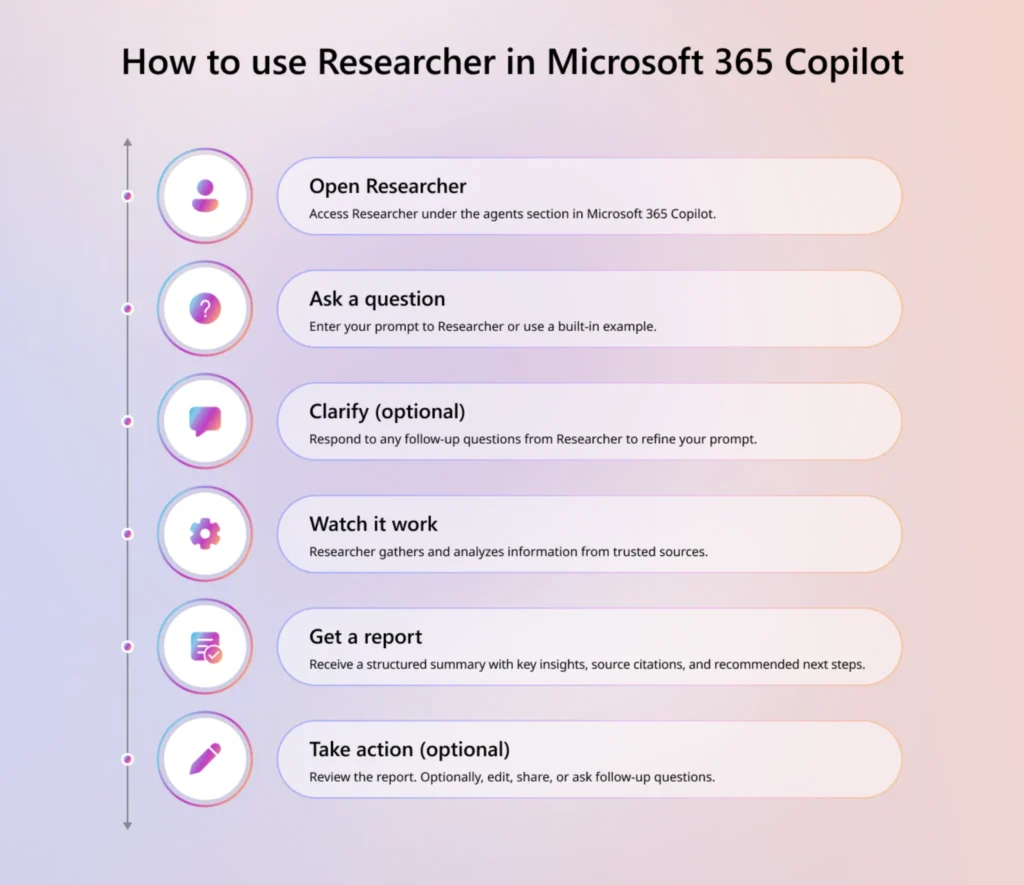
Microsoft’s guidance is refreshingly direct. Open Researcher in Microsoft 365 Copilot, ask your question, answer any follow-up prompts if needed, and review the report once it is finished. Microsoft also suggests being clear about whether you want the system to use web content, work content, or both.¹²
That advice is simple, but it is also the part that matters most. Researcher agent works better when the request is focused. A vague prompt usually leads to broad results. A more specific request gives the tool a better path.
For example, asking for “a report on our industry” is broad. Asking for “a report on the top changes in our market this quarter, using recent web coverage and our internal sales notes” gives researcher agent a much clearer job. That does not mean writing like a machine. It just means being clear about the goal.
Privacy, permissions, and trust
Whenever a workplace tool can read across company content, privacy questions come up fast. Microsoft addresses this directly in its Microsoft 365 Copilot privacy documentation.
Microsoft says prompts, responses, and data accessed through Microsoft Graph are not used to train the foundation models used by Microsoft 365 Copilot. Microsoft also says Copilot only surfaces organizational data that a user already has permission to access.³ These two points are central to how Microsoft presents trust around researcher agent and the wider Copilot experience.³
That does not remove the need for common sense inside a company. Teams still need sound policies around sensitive information. But Microsoft’s stated position is clear: researcher agent works within the same permission structure already in place across Microsoft 365.³
Who can access researcher agent
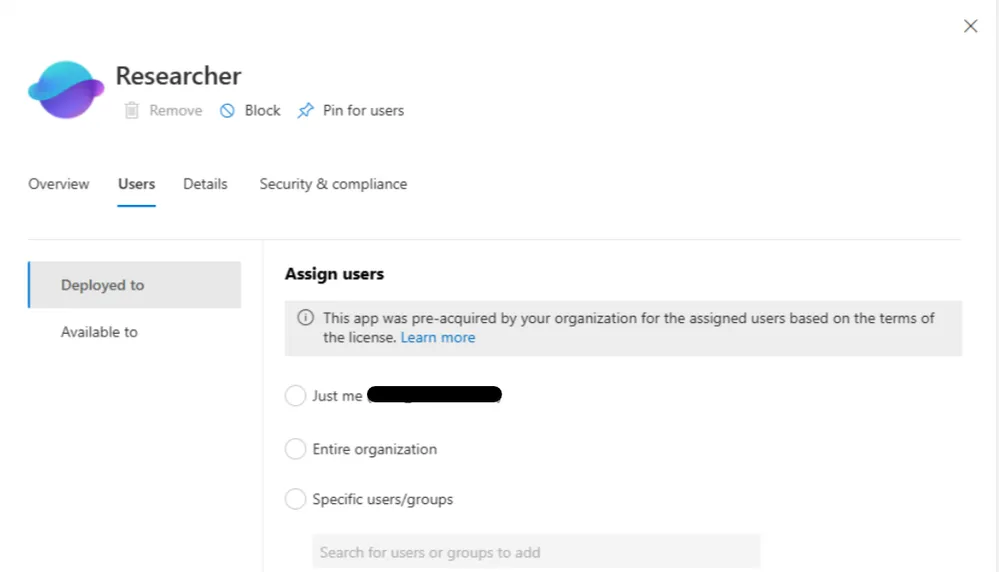
Availability is one area where wording needs to be exact. Microsoft Support says Researcher is available to Microsoft 365 Personal and Family subscribers in supported markets, and to business and enterprise users who have a Microsoft 365 Copilot license. Microsoft’s June 2025 announcement also said Researcher and Analyst became generally available to people with a Microsoft 365 Copilot license.²
That is more precise than simply saying it is “open to everyone.” Access depends on the kind of Microsoft 365 plan or license a person has, and those details matter if a reader is trying to find the feature in their own account.⁵
Why Microsoft researcher agent matters
The reason researcher agent stands out is not that it replaces judgment. It does not. We still need to read the output, check the citations, and decide what matters. But it can cut down the time spent gathering background material and turning scattered information into a first draft.
That is a big deal in everyday work. Many people are not struggling with the final sentence of a report. They are struggling with the messy middle: opening too many tabs, pulling notes from too many places, and trying to turn disconnected pieces into one clear story. Researcher agent is Microsoft’s attempt to shrink that part of the job.⁴
For teams already living inside Microsoft 365, that makes the feature easier to understand. It is not just another chatbot. It is a report-building research tool built into the place where many people already work.
Citations
- Microsoft. “What Is Researcher Agent in Microsoft 365 Copilot?” Microsoft Learn, 19 Feb. 2026.
- Microsoft. “Get Started with Researcher in Microsoft 365 Copilot.” Microsoft Support.
- Microsoft. “Data, Privacy, and Security for Microsoft 365 Copilot.” Microsoft Learn, 9 Mar. 2026.
- Microsoft. “Microsoft 365 Copilot Researcher Agent Frequently Asked Questions.” Microsoft Learn.
- Spataro, Jared. “Researcher and Analyst Are Now Generally Available in Microsoft 365 Copilot.” Microsoft 365 Blog, 2 June 2025.