
Key Takeaways
- Record & Replay lets us show Codex a workflow once and reuse it later as a saved skill.
- Codex started as OpenAI’s software engineering tool, but OpenAI is also expanding it for broader workplace tasks.
- Record & Replay is best suited for repeated digital work with clear steps, such as expense reports, time-off requests, issue creation, video publishing, and recurring reports.
- The feature is available in the Codex app on macOS for eligible users, with regional limits.
- We still need to review what is recorded, avoid private information, and check the finished result before relying on any workflow.
Record & Replay Gives Codex a Way to Learn by Watching
OpenAI has introduced Record & Replay for Codex, a feature built around a familiar idea: show a task once, then reuse it later. In OpenAI’s Developer Community post, the company described Record & Replay as a way to show Codex a workflow once and turn it into a reusable skill. OpenAI gave examples such as filing an expense report and submitting a time-off request.1
That matters because many work tasks are not hard, but they are repeated often. We may need to open the same app, choose the same fields, follow the same naming format, upload the same type of file, or pull the same report every week. Record & Replay is meant to reduce the need to explain those steps from the beginning each time.
This is different from asking a chatbot a question. With Record & Replay, we are not only typing instructions. We are showing Codex how a workflow is completed. Codex then uses that example to draft a skill that can be inspected, edited, and reused.
What Codex Is and Why It Matters
Before we go further, we should define Codex. Codex started as OpenAI’s tool for software engineering work. OpenAI introduced Codex as a cloud-based software engineering agent that can work on many tasks in parallel, including writing features, answering questions about a codebase, fixing bugs, and proposing pull requests for review.2
For readers new to AI tools, that may sound technical. A clearer way to think about Codex is this: it is a work system that can receive instructions, inspect files, make changes, and report back with what it did. Developers may use it for coding work, but OpenAI has also been expanding Codex for broader workplace tasks such as reports, spreadsheets, presentations, research, workflow automation, and lightweight internal tools.
That context makes Record & Replay easier to understand. It gives Codex a way to learn from a demonstrated process, not only from written instructions. Instead of writing every step by hand, we can perform the task once and let Codex draft a reusable version of that workflow.
How Record & Replay Works
According to OpenAI’s documentation, Record & Replay lets users demonstrate a workflow on a Mac and turn it into a reusable skill. OpenAI says it is useful when a workflow is repeated, depends on personal or company preferences, or is easier to show than describe in writing.3
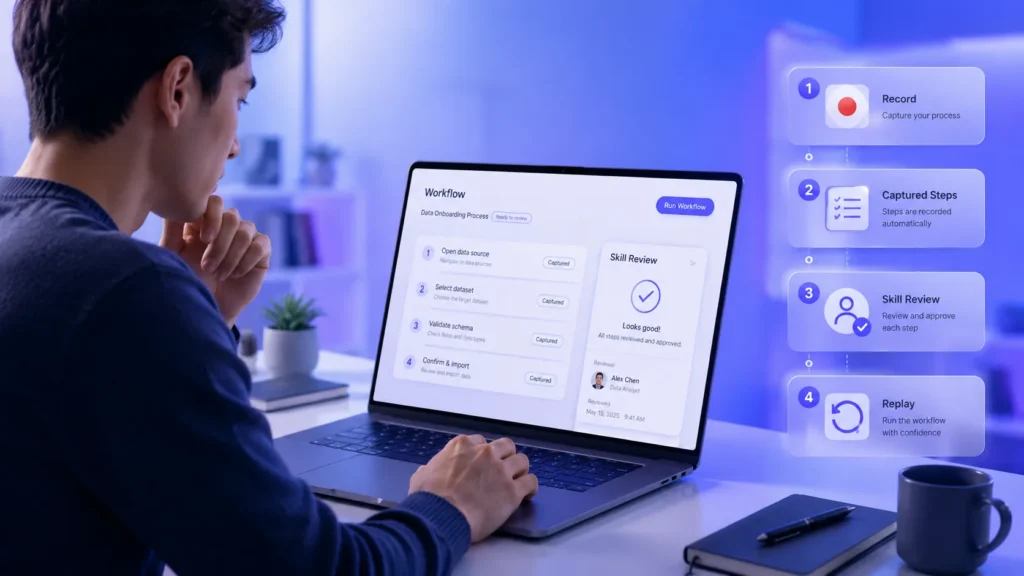
The process has three main parts. First, we start a recording inside the Codex app. Second, we complete the task while Codex observes the actions and window content needed to understand the workflow. Third, we stop the recording, and Codex drafts a skill from what it saw.
That skill is not locked away from us. OpenAI says the drafted skill is inspectable and editable. This matters because we should be able to check the steps, remove anything that does not belong, and add clearer guidance before using the workflow again.
Record & Replay Turns a Demonstration Into a Reusable Skill
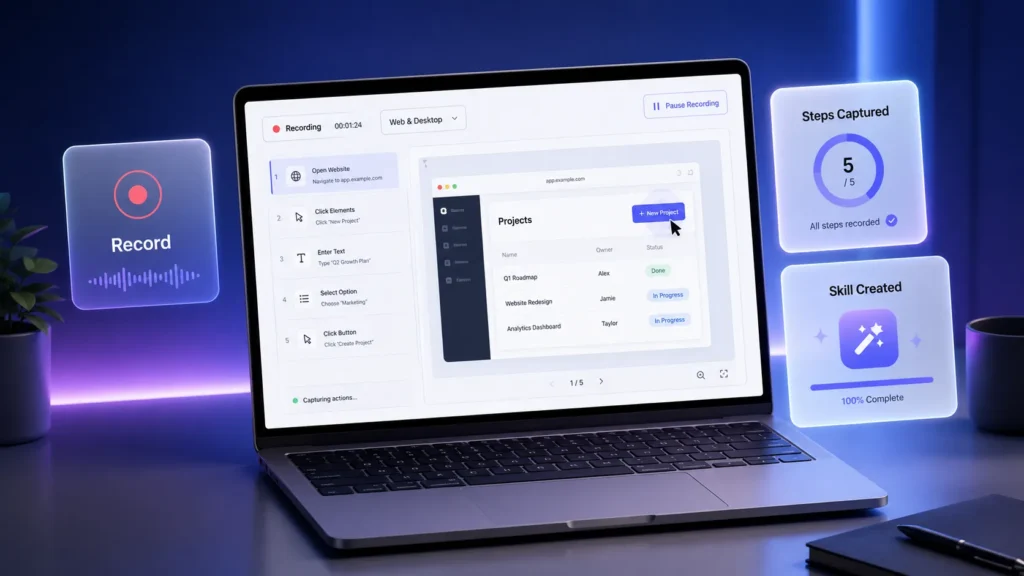
A skill in Codex is best understood as a saved work recipe. It can include instructions, resources, and other details that tell Codex how to complete a repeated task. OpenAI’s skills documentation explains that skills are used to give Codex reusable guidance for workflows and work patterns.4
With Record & Replay, we do not need to begin by writing that recipe from scratch. We demonstrate the workflow, and Codex drafts the skill. That can be useful when small choices matter, such as a file naming rule, a required field, a report filter, or a company process that needs to be followed the same way each time.
For example, a marketing team might use Record & Replay to repeat a reporting workflow. An operations team might use it for a recurring request. A finance team might use it for a routine expense process. These are possible use cases, and they work best when the steps are stable and the final result is easy to review.
Why Record & Replay Could Help Non-Technical Teams
The main value of Record & Replay is that it reduces the writing burden. Many people explain work better by doing it than by writing a long instruction list. We already train coworkers this way: “Watch how I submit this,” or “Here is how we pull this report.” Record & Replay brings that same teaching style into Codex.
For people who are not AI professionals, that is an important shift. A user does not need to understand technical setup, model behavior, or advanced prompting to record a workflow. The user needs to know the task, perform it cleanly, and review what Codex creates.
The value is not only time savings. It is consistency. When we repeat a process from memory, small errors happen. We may skip a field, use the wrong date range, or forget a required label. A reviewed Record & Replay skill can give Codex a more reliable path to follow, as long as the original process is clear and the final output is checked.
Where Record & Replay Has Limits
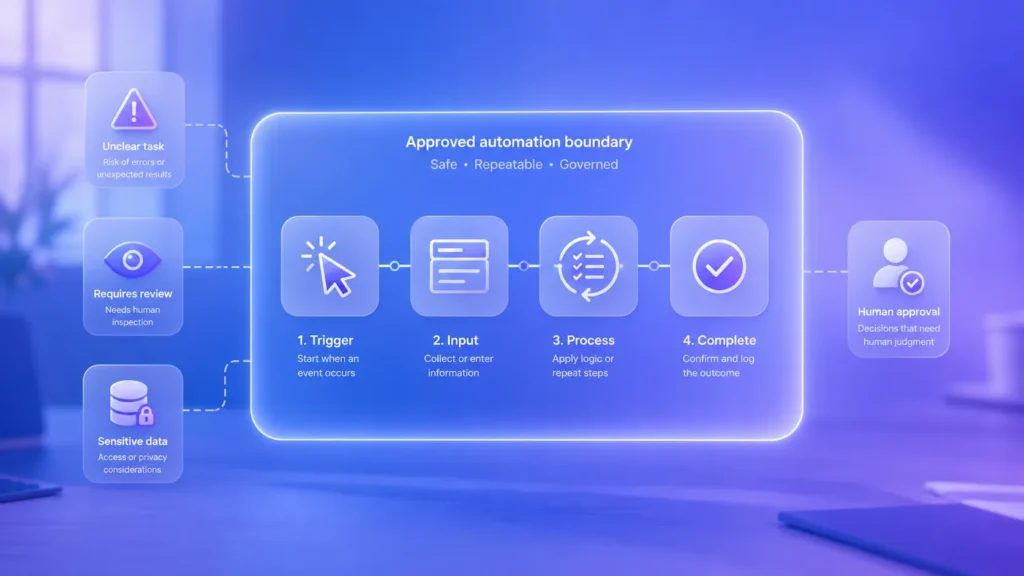
We should treat Record & Replay as useful, not perfect. OpenAI says it works best for workflows that are repeated, stable, and easier to show than explain. That means it is not the right fit for every task.
If the work changes every time, requires private judgment, or depends on sensitive information throughout the process, Record & Replay may not be the right tool. In those cases, we may still use Codex, but we should keep the task narrower and use stronger human review.
There are also availability limits. OpenAI says Record & Replay is available in the Codex app on macOS for eligible users. OpenAI also notes that the feature is not initially available in the European Economic Area, the United Kingdom, or Switzerland. Computer Use must be available and turned on for the workflow to run.
Privacy and Safety Need Real Attention
Because Record & Replay learns from what happens on screen, privacy matters. OpenAI’s Computer Use documentation says Codex can view screen content, take screenshots, and interact with windows, menus, keyboard input, and clipboard state in the target app.5
That means we should be careful about what is visible during recording. We should avoid recording passwords, payment details, private employee information, client files, medical information, legal documents, or personal messages unless there is a clear need and proper approval.
A good recording should be focused. Start when the task begins. Stop when the task ends. Close unrelated windows. Avoid extra clicks. The cleaner the recording, the clearer the drafted skill is likely to be.
How We Should Use Record & Replay Well
A strong Record & Replay workflow starts before recording. We should choose a task we already know how to complete. We should identify what changes each time, such as a date range, file name, client name, report type, or form value. We should also know what a correct finished result looks like.
During recording, we should move through the task in a direct way. If we make a mistake, we may teach the wrong step. After recording, we should inspect the drafted skill, tighten the wording, remove sensitive details, and add any missing checks.
When we replay the workflow, we should give Codex the new values for that run. For example, we may provide this week’s report dates, the file that needs to be uploaded, or the name of the request being created. Then we should review the result before treating the task as complete.
When Record & Replay Makes the Most Sense
Record & Replay makes the most sense when the task has a clear start, a clear end, and repeatable steps. It is a good fit for routine digital work where success can be checked without guesswork.
It is less suitable for work that changes heavily each time, involves sensitive information across many steps, or requires judgment that cannot be reduced to a process. The more predictable the workflow is, the better Record & Replay is likely to work.
What Record & Replay Signals Next
Record & Replay points to a broader change in workplace tools: software that can learn from demonstrated work, not only written instructions. For people who are comfortable doing a task but not writing long prompts, that can make AI-based work tools easier to approach.
Still, the best use of Record & Replay depends on human control. We choose what to record. We decide what Codex may see. We inspect the drafted skill. We approve the final result. In that model, Record & Replay does not replace judgment. It gives us a way to preserve a clear process and reuse it with less repeated effort.
For everyday work, that may be the real story. Record & Replay turns “watch how I do this” into a saved Codex skill. Used with care, it can make repeated digital work easier to manage, easier to teach, and easier to repeat correctly.
Citations
- VeitB. “Introducing Record & Replay.” OpenAI Developer Community, OpenAI, 18 June 2026.
- OpenAI. “Introducing Codex.” OpenAI, OpenAI, 16 May 2025.
- OpenAI. “Record & Replay.” OpenAI Developers, OpenAI, n.d. Accessed 21 June 2026.
- OpenAI. “Agent Skills.” OpenAI Developers, OpenAI, n.d. Accessed 21 June 2026.
- OpenAI. “Computer Use – Codex App.” OpenAI Developers, OpenAI, n.d. Accessed 21 June 2026.