Key Takeaways
- Fitbit AI has expanded beyond its original U.S. Android rollout and is now in public preview on iPhone.
- The latest expansion includes iOS users in the U.S. and both iOS and Android users in the UK, Canada, Australia, New Zealand, and Singapore.
- Access still depends on eligibility rules such as Fitbit Premium, supported devices, age, language, and app/OS requirements.
- Google positions this feature for wellness and fitness guidance, not medical diagnosis or treatment.
- Google says the coach has been evaluated with more than 100,000 hours of human review across health-related specialties.
Why the Fitbit AI update matters now
For many people, health tracking apps can feel useful but fragmented. We see steps in one place, sleep in another, and workouts in another. The recent public preview expansion of Fitbit AI matters because it brings more users into one conversational experience that ties these signals together.
According to The Verge, Google is expanding Fitbit’s AI-powered health coach to iPhone users in the U.S., while also broadening country access for both major mobile platforms in select English-language markets.1 This follows Google’s earlier public preview launch, which started in October 2025 for eligible Android users in the United States.3
In short, Fitbit AI is becoming easier to access, and that changes how many people can test it in everyday routines.
Fitbit AI in simple terms: what it does
What Fitbit AI is designed to do
Fitbit AI is built to interpret patterns from Fitbit-related wellness data and respond in normal language. We can ask about sleep trends, daily activity, and workout planning, and receive guidance based on recent behavior and goals.
Google describes this as a personal health coach experience inside Fitbit’s preview environment, where users can ask questions and receive tailored responses connected to their own data history.3
What Fitbit AI is not designed to do
This point is essential: Fitbit’s public preview documentation states that preview AI features are for general wellness and fitness purposes and are not a medical device for diagnosis or treatment. That distinction should guide how we use the tool.
If symptoms are persistent or serious, we should move from app guidance to licensed clinical care.
Who can access Fitbit AI right now
Access is not universal yet. The Fitbit Help Center lists public preview eligibility requirements, and these requirements may change over time.2
Key requirements include:
- Active paid or trial Fitbit Premium subscription
- Eligible Fitbit or Pixel Watch device
- Google Account sign-in for Fitbit
- English language settings
- Adult age requirement
- Supported Fitbit app version and mobile OS version
These rules explain why some users see the feature immediately while others do not. Before judging results, we should first confirm eligibility in the app settings and support documentation.
How to get better results from Fitbit AI in week one
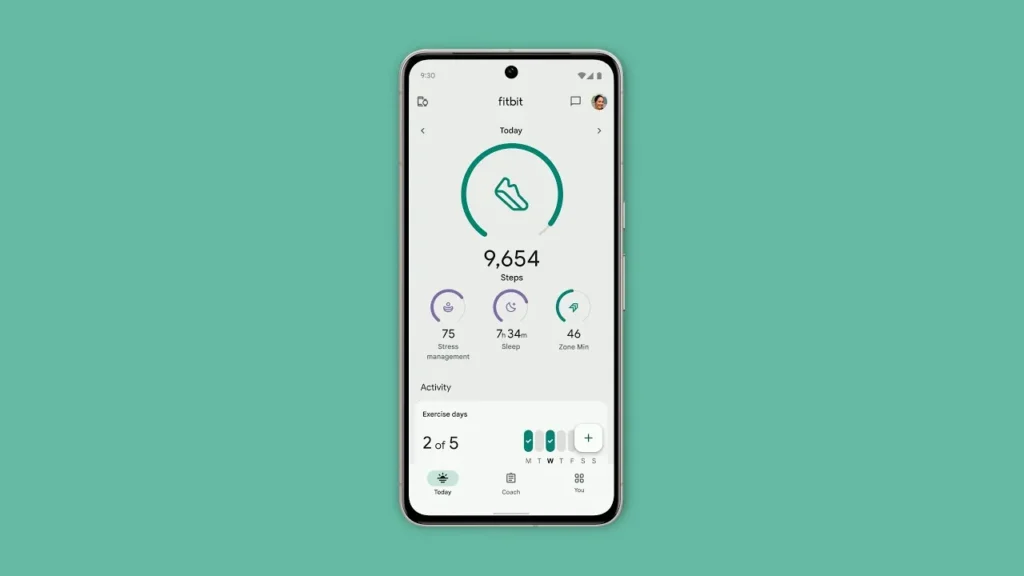
If we are trying Fitbit AI for the first time, a clear setup strategy helps us get more useful responses:
1) Choose one health goal at a time
Start with one objective for 7–14 days, such as sleep regularity, walking volume, or post-workout recovery.
2) Ask repeatable weekly questions
Use a similar prompt each week so we can compare outcomes, for example:
“Based on my last seven days, what should I adjust first: sleep schedule or training volume?”
3) Track what we change
Write down one recommendation and test it for several days. Small notes can show whether the suggestion improved consistency.
4) Keep decisions grounded
Use Fitbit AI for wellness planning. For diagnosis, medication decisions, or worsening symptoms, contact a healthcare professional.
This approach keeps the experience focused and makes it easier to tell whether guidance is helping.
Why trust and safety are central to Fitbit AI
Health-related AI requires a higher standard than many other consumer features. Google’s research post says the coach is evaluated across safety, helpfulness, accuracy, relevance, and personalization, with more than 100,000 hours of human evaluation involving generalists and domain experts in fields such as fitness, sleep, family medicine, and behavioral science.5
That does not guarantee perfection in every response, but it does show a structured validation effort. For readers new to AI, this is one reason the current rollout is more than a simple demo.
Fitbit AI and daily life: where it can fit
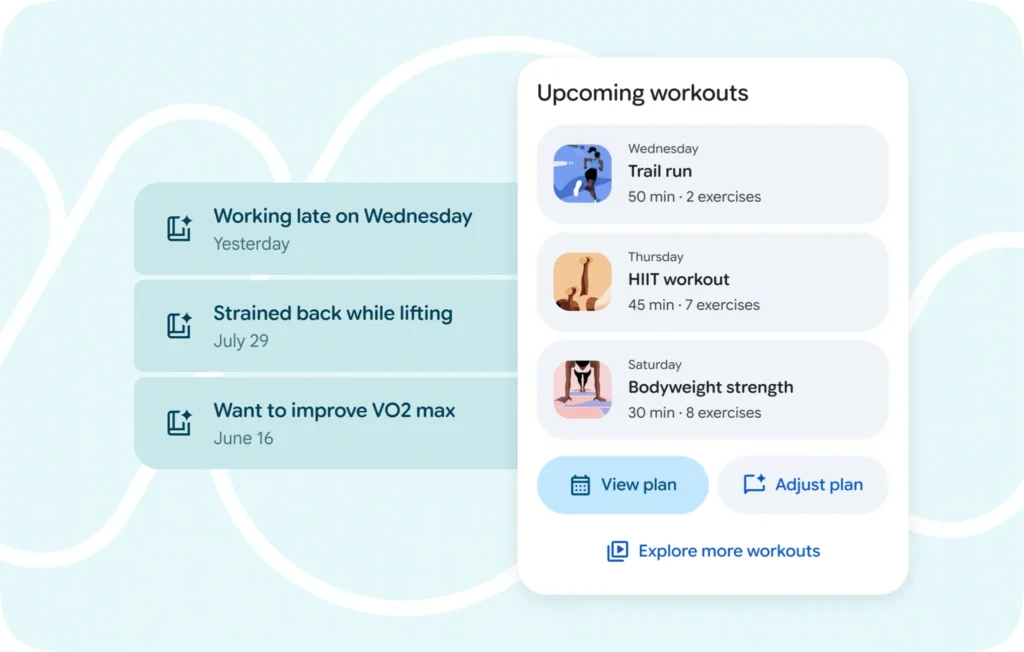
The strongest use case for Fitbit AI is not extreme training. It is day-to-day consistency:
- Better bedtime patterns
- More stable weekly activity
- More thoughtful recovery after hard days
- Easier check-ins on progress toward a specific goal
When we use Fitbit AI this way, it acts as a regular feedback loop tied to our own data rather than generic internet advice.
What to expect next from Fitbit AI
Google describes this stage as an expanding public preview, rolling out over time.4 That wording matters. Public preview means features can evolve, availability can vary, and the experience can change as feedback comes in.
So the right expectation is steady improvement, not immediate final form.
Final takeaway
Today, Fitbit AI is best viewed as a growing wellness coaching feature that now reaches far more users than before. The iPhone rollout and wider country availability remove a major access barrier. Eligibility requirements still apply, and health-safety limits remain clear. Used with realistic expectations, Fitbit AI can become a useful part of weekly wellness planning.
Citations
- Bonifield, Stevie. “Fitbit’s AI Health Coach Is Now Available on Your iPhone.” The Verge, 10 Feb. 2026.
- Google. “Public Preview for Fitbit app.” Fitbit Help Center, Google, n.d. Accessed 11 Feb. 2026.
- Young-Lin, Nichole. “Fitbit’s Personal Health Coach in Public Preview Is Here.” The Keyword, Google, 27 Oct. 2025.
- Google. “Fitbit’s Personal Health Coach Is Expanding to More People in Public Preview.” The Keyword, Google, 10 Feb. 2026.
- Google. “Research Behind the Personal Health Coach Preview.” The Keyword, Google, 27 Oct. 2025.